Meet Modular DS 3.0: Our biggest release of the year
Yesterday, we hosted Modular DS Connect 2026, our online gathering for WordPress professionals and agencies. It was a very special moment for us, and the perfect occasion to unveil everything coming with Modular DS 3.0.
Modular DS was born four years ago with a clear goal: to help agencies and freelancers manage their WordPress sites more easily and efficiently. Since then, and thanks to the feedback from those of you using it every day, we’ve continued to grow, improve, and expand it with new features and possibilities.
With this release, we’re taking another step in that direction, moving closer to becoming one of the most complete all-in-one solutions for professional WordPress maintenance.
If you missed Modular DS Connect, here’s the recap of what we’re shipping.
Table of contents
What’s new in Modular DS 3.0
More built-in security: Malware scanning powered by Imunify Connect
Security matters, and the stakes keep getting higher. As Oliver from Patchstack highlighted at the event, vulnerabilities are on the rise, and the time between disclosure and exploitation keeps shrinking (to an average of just five hours). Attackers and bots don’t distinguish between big or small WordPress sites either.
That’s why security is one of the key areas we’ve invested in most over the past year, expanding everything you can do with Modular DS.
Last October, we partnered with Patchstack to help you detect vulnerabilities and strengthen your sites with virtual patching and hardening rules.
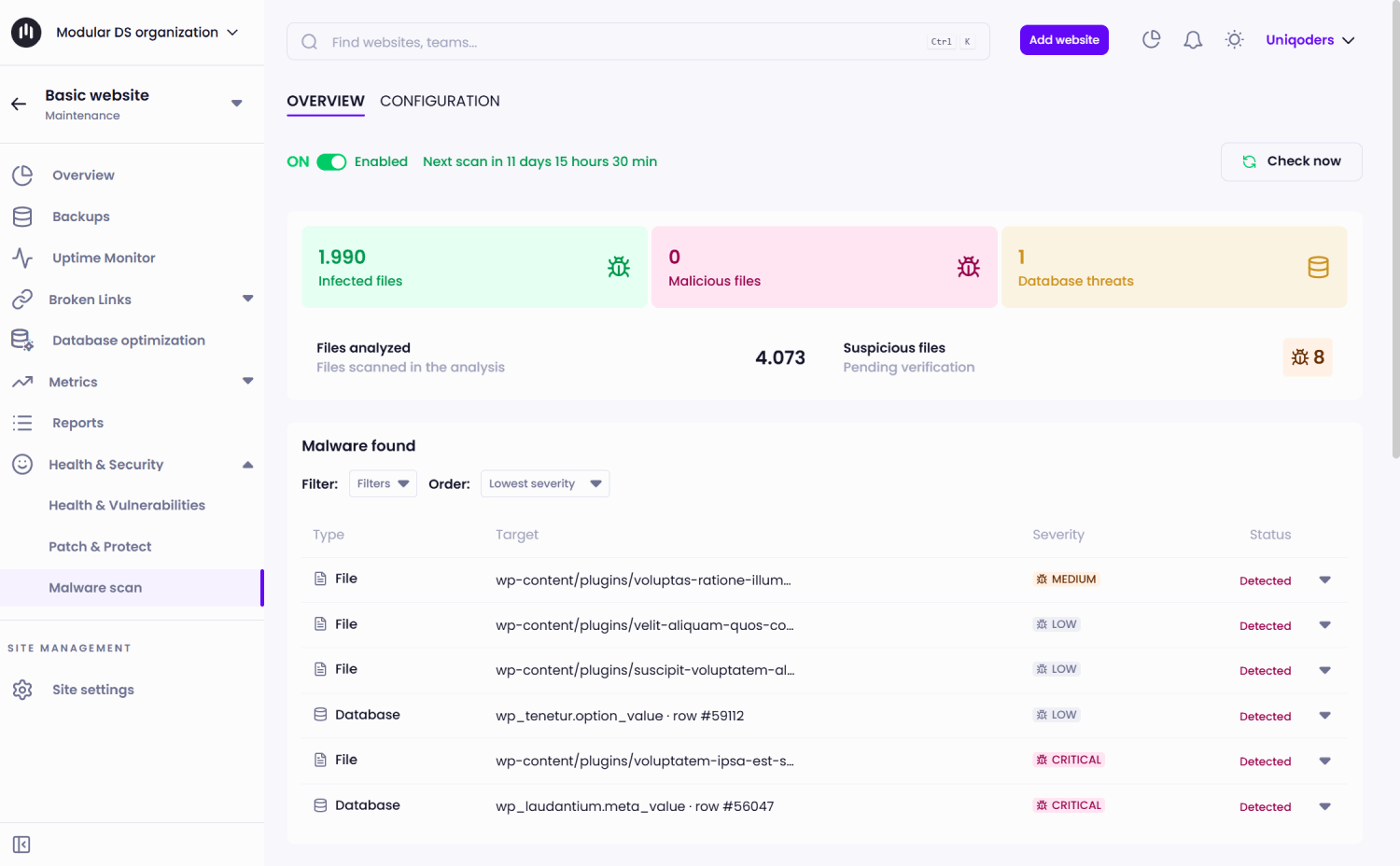
With Modular DS 3.0, we’re integrating with Imunify Connect, which protects 56M+ domains worldwide and brings a new layer to your security setup: a malware scanner that automatically checks all your site’s files and database for malicious, infected, or compromised content.
What’s the difference between the two? Patchstack focuses on prevention, protecting your sites so vulnerabilities can’t be exploited. Imunify helps with detection, identifying malware when a site may have already been compromised.
Together with the admin users panel and alerts for spotting suspicious access, these Modular DS features cover the most important security scenarios for your clients’ sites in one place.
All plans include one free malware analysis per month. If you need more control, our new add-on lets you run weekly and on-demand scans for $2.25/month per site.
Find and fix broken links without leaving Modular DS
Broken links are one of those small issues that, left unchecked, can end up hurting user experience, SEO, and the overall impression your sites make.
The good news? You no longer need a separate tool to catch them.
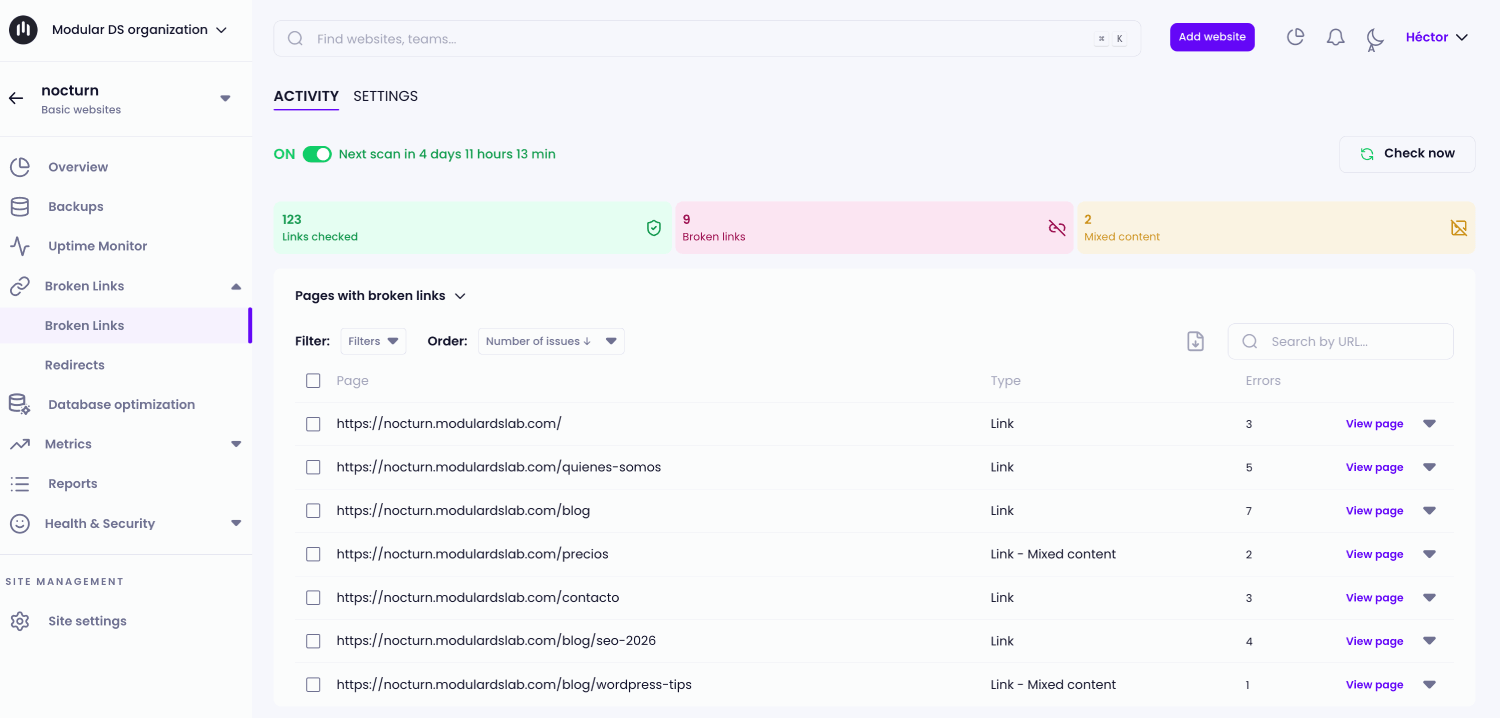
With Modular DS 3.0, you can check any connected site for broken links and images directly from the platform, through automatic scheduled scans or manual checks whenever you need them. And when any broken internal links are detected, you can fix them by creating redirects right from Modular DS.
New global management screens
Managing multiple sites means keeping track of many moving parts.
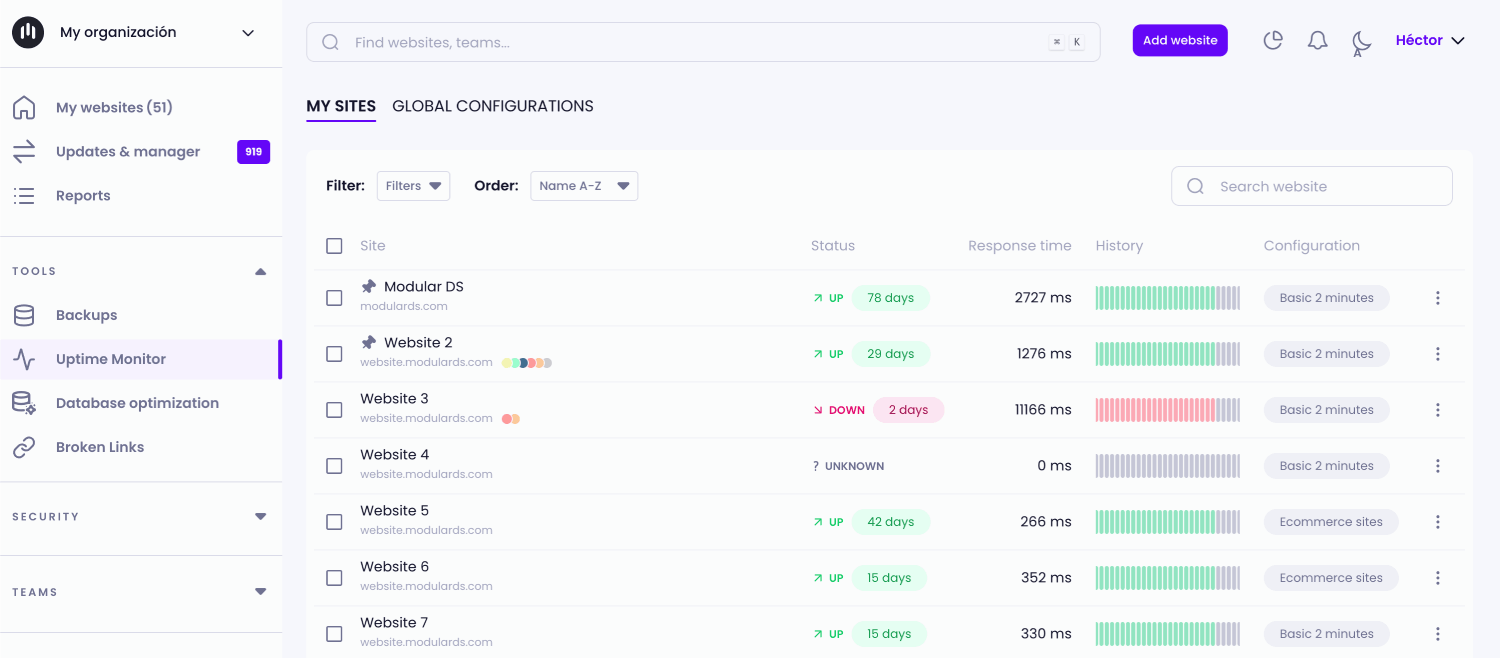
We’re launching four new pages that let you easily see the status of your backups, uptime, malware scans, and broken link checks across all your sites at a glance.
You can also create global configurations and apply them to multiple sites at once, saving you from going through the same setup on each site.
Bulk site import
We’ve always helped agencies migrate to Modular DS from other platforms for free, making the process as smooth as possible. However, until now, if you’d prefer to do it yourself or have a large number of WordPress sites to connect to the platform, adding them one by one was a pretty tedious task.
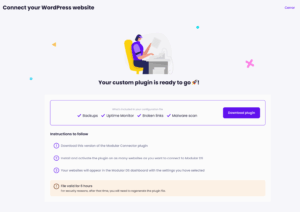
That’s why this new version makes the process easier than ever, letting you add multiple sites in bulk in just a few minutes. And during the connection process, you can now configure backups, uptime monitoring, broken link checks, and malware scans, so everything is set up and ready to go from day one.
New data regions
Modular DS is growing fast, with professionals from all over the world using it to manage their WordPress sites. To match that growth, we’re expanding our data regions so you can choose where your backups are stored and where uptime checks run from: the United States, Europe, or Asia.
This means more flexibility to meet your clients’ needs and the data privacy requirements of each project.
Hide the critical errors you don’t want to see
Another small but highly requested improvement in Modular DS 3.0: you can now hide critical health and security errors from your Modular DS dashboard.
This is especially useful for warnings you’ve already got under control or issues you know you won’t be fixing for any reason. The information is still there, but you can keep your dashboard cleaner and focused on what actually needs your attention.
What else happened at Modular DS Connect?
During Modular DS Connect, before showing the new product updates, we had three conversations worth watching with very special guests.
Jack Cao, Head of Product Education at Rank Math, walked us through a three-phase framework for getting brands recommended by AI tools. The starting point: 37% of consumers now begin their searches with AI rather than a search engine, and when they click through an AI recommendation, that traffic converts five times higher than traditional organic. The challenge is that most brands don’t show up in those results yet.
In a conversation with Oliver Sild, CEO and co-founder of Patchstack, we talked about the current state of WordPress security. Vulnerabilities are increasing and a growing trend of mixing WordPress with custom-coded components is introducing new security challenges that traditional approaches don’t cover.
Lastly, Matt Tutorials also joined us for a conversation about running a maintenance business. Matt made the case for why maintenance is one of the best opportunities in the WordPress space: it’s recurring, scalable, and genuinely helps clients who don’t know how to keep their own sites secure. He also shared how he structures and prices his plans, and what convinced him to switch to Modular DS after a decade with another tool.
You can watch the full event below and on our YouTube channel.
Your turn
Modular DS Connect 2026 was a special one for us, and we hope it was for you too.
Many of the updates in this release wouldn’t have been possible without your ideas and suggestions. So now it’s your turn: log in to your Modular DS dashboard to explore everything new and let us know what you think.
Just note that to try some of the new features, like the broken link checker and malware scanner, you’ll need to update the Modular Connector plugin to version 3.0.
Not on Modular DS yet? Start free today or book a demo and we’ll show you how it can help you.
Thank you for being part of this journey.
Let’s keep on building! 💜

Stay in the loop