Modular DS: The WP Umbrella alternative built to grow with you
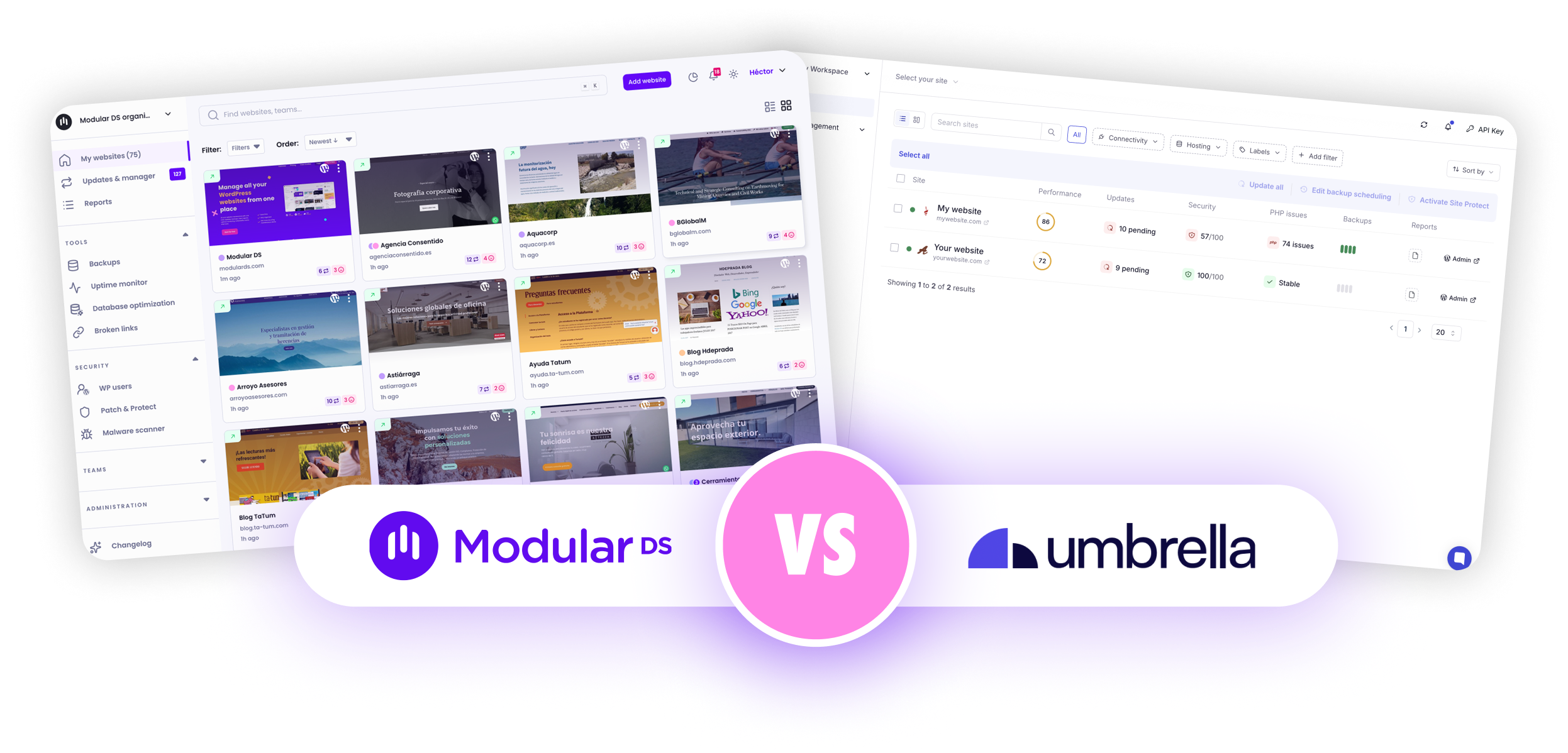
Modular DS is a powerful alternative to WP Umbrella for managing multiple WordPress sites, with smarter automations, more integrations, and a pricing model that scales with you. See how they compare and why more professionals are making the switch.
Automate beyond the schedule
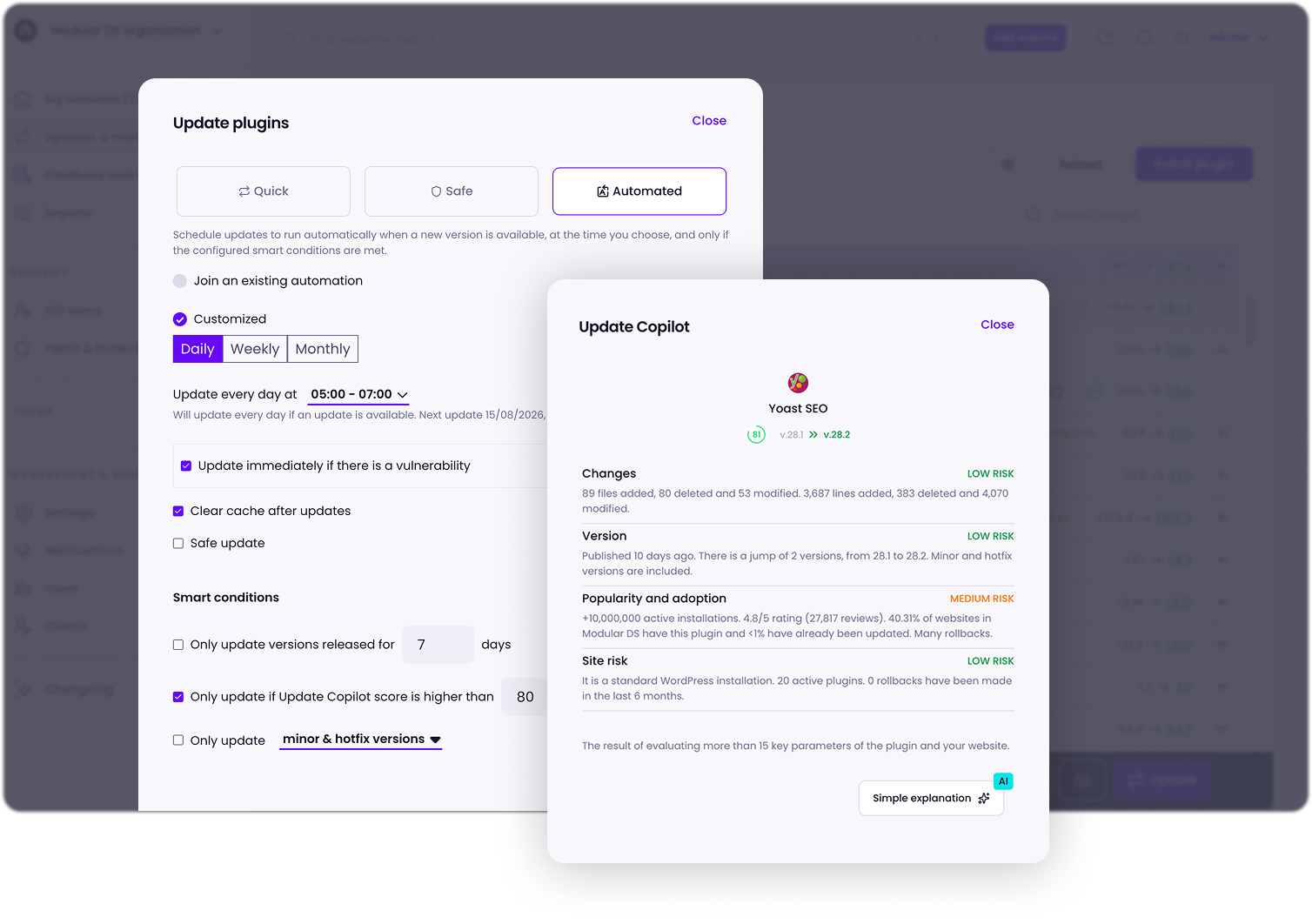
You can also set smart rules that automatically trigger updates only when specific conditions are met, such as the update type, version age, or risk level, rather than simply scheduling them for a specific date.
Pricing that supports your growth
WP Umbrella uses a linear pricing model starting at $2.19 per site per month, with no volume discounts. The more sites you manage, the more you pay.
Modular DS works differently. Every plan includes a set number of websites with all the core features, and the more you grow, the lower your average cost per site, down to about $0.79 per site on the Enterprise plan. Need more room to grow? Add extra sites for $1.25/month each, without having to move to a higher tier right away.
Monitor more, monitor better
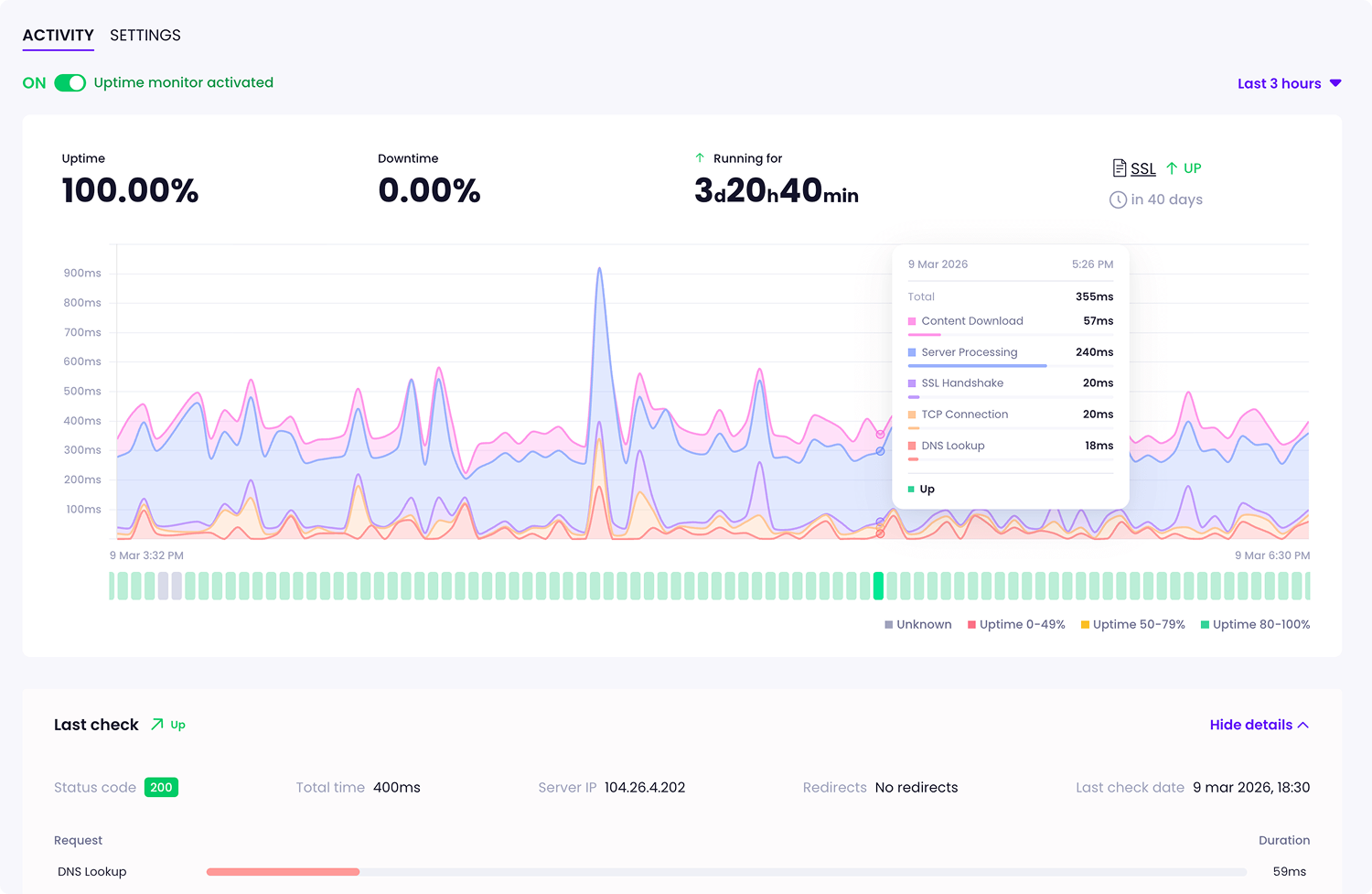
Monitor broken links, keywords, and any URL you choose, define which response codes count as valid, and choose whether to follow redirects. And when something goes wrong, get alerts wherever you need them: by email, Slack, WhatsApp, or Discord.
Reports that show what needs fixing
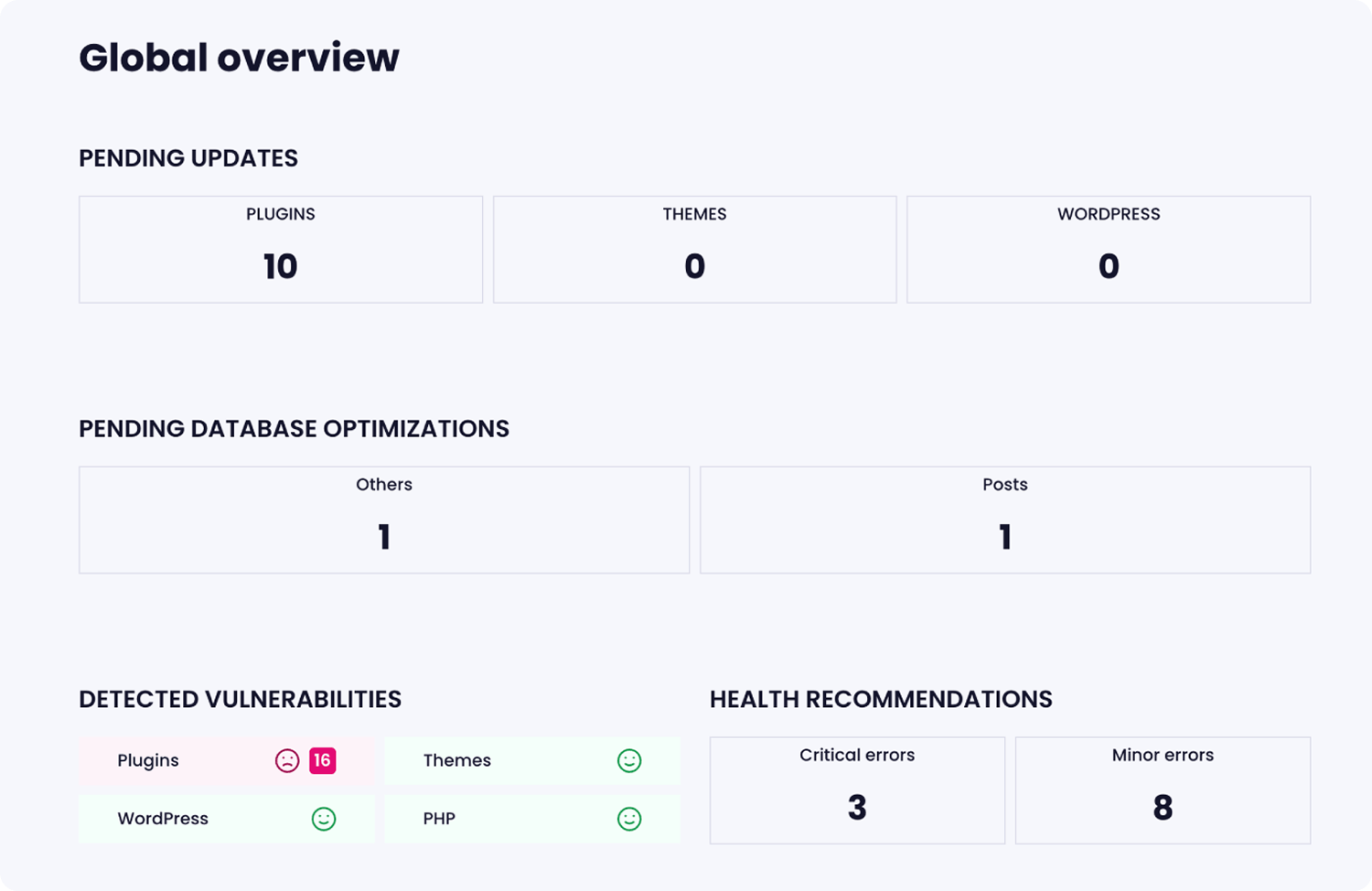
Like WP Umbrella, Modular DS lets you create maintenance reports so your clients can see the work you do every month. Even better, it also includes pre-maintenance reports that help you show potential clients the state of their site and everything that needs attention, including errors, vulnerabilities, and pending updates. The clearer the risks are, the easier it is for them to understand why ongoing maintenance—and your service—matters.
All the integrations that matter
WP Umbrella only adds Google Analytics to your reports. However, Modular DS lets you connect Google Search Console and WooCommerce too, giving clients the full picture of how their site is performing over time: SEO data, organic visibility, and online sales, right alongside your maintenance work. This way, more than a list of technical improvements, clients can see the impact on their business.







We're ready when you are
Behind Modular DS, there’s a friendly team (hi! 👋) with more than 10 years of experience managing sites. When you need a hand, you’ll find real people who know the product inside out and understand what it takes to run a WordPress care business.
Feature comparison
Here’s a side-by-side comparison of both Modular DS and WP Umbrella’s key features, ranging from update automation to security and integrations.
| Funcionalidad |

|

|
|---|---|---|
| Type of tool | Sí Cloud-based SaaS. | Sí Cloud-based SaaS. |
| Pricing model | Sí Fixed-price plans based on number of sites, with flexible limits. Average cost per site drops as you grow. | Parcialmente Per-site pricing. Cost rises linearly as the number of managed sites grows. |
| Update modes and automation | Sí Quick, safe, scheduled, and automated updates based on smart rules. All available in bulk. | Parcialmente Quick, safe, scheduled, and bulk updates. No rule-based automation. |
| Risk insights for plugin updates | Sí Update Copilot (AI) analyzes and scores the risk of new plugin versions. | No Not available. |
| Backup frequency & retention | Sí Weekly and daily, depending on the plan. 60-day retention (up to 90 on the Enterprise plan). | Parcialmente Weekly and daily. Hourly available with paid add-on. 50-day retention. |
| Backup restoration | Sí One-click restoration, plus FTP/SFTP if the site loses connection to the platform. | Parcialmente One-click restoration only if the site is still connected to the platform. |
| Security | Sí Vulnerability scanning with alerts on all plans. Firewall and virtual patching via Patch & Protect, a paid add-on powered by Patchstack. | Sí Vulnerability scanning with alerts included. Firewall and virtual patching via a paid add-on powered by Patchstack. |
| Malware scanning | Sí One free monthly scan per site included. Paid add-on available for more frequency and customization. | Parcialmente Requires a paid add-on. |
| Admin user change alerts | Sí Admin user panel and alerts are included on all plans. | No Not available. |
| Monitoring | Sí Uptime, keyword, performance, and SSL monitoring, with custom intervals and multiple configuration options. | Parcialmente Uptime, performance, and SSL monitoring, with custom intervals. No keyword monitoring. |
| Broken link checker | Sí Available on all plans, including redirect management. | Sí Available, including redirect management. |
| Alert channels | Sí Email, Slack, WhatsApp, and Discord. | Parcialmente Email and Slack. |
| Client reports | Sí Included on all plans, plus pre-maintenance reports. | Parcialmente Regular reports included. No pre-maintenance reports available. |
| Migration, cloning & staging | Sí Included on all plans. | Parcialmente Migration support only. |
| Integrations | Sí Google Analytics, Google Search Console, WooCommerce, and PageSpeed. | Parcialmente Google Analytics and PageSpeed. |
Type of tool
Sí Cloud-based SaaS.
Sí Cloud-based SaaS.
Pricing model
Sí Fixed-price plans based on number of sites, with flexible limits. Average cost per site drops as you grow.
Parcialmente Per-site pricing. Cost rises linearly as the number of managed sites grows.
Update modes and automation
Sí Quick, safe, scheduled, and automated updates based on smart rules. All available in bulk.
Parcialmente Quick, safe, scheduled, and bulk updates. No rule-based automation.
Risk insights for plugin updates
Sí Update Copilot (AI) analyzes and scores the risk of new plugin versions.
No Not available.
Backup frequency & retention
Sí Weekly and daily, depending on the plan. 60-day retention (up to 90 on the Enterprise plan).
Parcialmente Weekly and daily. Hourly available with paid add-on. 50-day retention.
Backup restoration
Sí One-click restoration, plus FTP/SFTP if the site loses connection to the platform.
Parcialmente One-click restoration only if the site is still connected to the platform.
Security
Sí Vulnerability scanning with alerts on all plans. Firewall and virtual patching via Patch & Protect, a paid add-on powered by Patchstack.
Sí Vulnerability scanning with alerts included. Firewall and virtual patching via a paid add-on powered by Patchstack.
Malware scanning
Sí One free monthly scan per site included. Paid add-on available for more frequency and customization.
Parcialmente Requires a paid add-on.
Admin user change alerts
Sí Admin user panel and alerts are included on all plans.
No Not available.
Monitoring
Sí Uptime, keyword, performance, and SSL monitoring, with custom intervals and multiple configuration options.
Parcialmente Uptime, performance, and SSL monitoring, with custom intervals. No keyword monitoring.
Broken link checker
Sí Available on all plans, including redirect management.
Sí Available, including redirect management.
Alert channels
Sí Email, Slack, WhatsApp, and Discord.
Parcialmente Email and Slack.
Client reports
Sí Included on all plans, plus pre-maintenance reports.
Parcialmente Regular reports included. No pre-maintenance reports available.
Migration, cloning & staging
Sí Included on all plans.
Parcialmente Migration support only.
Integrations
Sí Google Analytics, Google Search Console, WooCommerce, and PageSpeed.
Parcialmente Google Analytics and PageSpeed.
Pricing comparison
WP Umbrella’s pricing model is simple and predictable: you pay $2.19 per site per month, with most features included. However, it can get very expensive as you grow, as the cost increases linearly with every site you add. With optional add-ons, the monthly price goes up to $6.68 per site.
Unlike per-site pricing, Modular DS plans are designed to grow with you.
Each includes a set number of sites, users, and storage for a fixed monthly or annual price. As you maintain more client sites, your average cost per site goes down. And if you ever go over your plan’s limit, overages let you scale at your own pace, without forcing you to move to a higher tier.
Here’s how the two pricing models compare:
| Sites | With Modular DS | With WP Umbrella | Annual savings with Modular DS* | Average cost per site/month |
|---|---|---|---|---|
| 30 | $408/year on the Starter plan ($34/mo) | $788.40/year ($65.70/mo) | 💰 $380.40 | ~$1.13 vs $2.19 |
| 100 | $1,188/year on the Enterprise plan ($99/mo) | $2,628/year ($219/mo) | 💰 $1,440 | ~$0.99 vs $2.19 |
Sites: 30
- With Modular DS
- $408/year on the Starter plan ($34/mo)
- With WP Umbrella
- $788.40/year ($65.70/mo)
- Annual savings with Modular DS*
- 💰 $380.40
- Average cost per site/month
- ~$1.13 vs $2.19
Sites: 100
- With Modular DS
- $1,188/year on the Enterprise plan ($99/mo)
- With WP Umbrella
- $2,628/year ($219/mo)
- Annual savings with Modular DS*
- 💰 $1,440
- Average cost per site/month
- ~$0.99 vs $2.19
*Savings calculated by comparing Modular DS plans (yearly billing) with WP Umbrella’s per-site pricing, excluding optional add-ons. Based on prices as of August 2026.
Switching is easier than you’d think
Yes, we know migrating is a pain. It takes time and can be stressful, but it doesn’t have to. We’ll help you move your WordPress sites to Modular DS quickly and safely, at no extra cost.
TL;DR
Why choose Modular DS over WP Umbrella?
The quick rundown of what makes the switch worth it.
Save time with better workflows
Smart automation rules and Update Copilot help you manage updates with more control, safety, and efficiency.
Better value as you scale
With Modular DS, you can grow your maintenance business without your costs getting out of hand.
Get more in one place
WordPress management, monitoring, security, reports, analytics, and clients, all from one intuitive dashboard.
Support that has your back
Good software is important. But when you need help, having a responsive team that cares and understands your work matters just as much.
It gets better with you
New features and improvements keep making Modular DS better, shaped by feedback from professionals like you.
Trusted by +3,000 agencies and freelancers
Modular DS is their preferred solution for managing over 40,000 sites.
⭐️ Rated 5 stars across 300+ reviews.


Alessio Realini
Web designer
I’m absolutely loving it! I’ve connected 15 WordPress sites and everything works flawlessly. Modular DS offers most of the features I was looking for to centralize maintenance for my clients’ websites. Very satisfied and excited to see how it evolves.

Max Ziebell
Programmer
Managing multiple WordPress sites used to be challenging, but Modular DS has simplified everything. Its intuitive dashboard centralizes updates, backups, and monitoring — with bulk updates and automated backups offering immense convenience.

Alexander van Aken
Web designer & developer, Creaktor
This is so freaking GOOD!! Excellent work and execution of so many things. Brilliant UI, you can really see this tool will become a gem. Don’t say I didn’t warn you.

Jan Karel Broer
Founder of Brovisuals
It’s fast, stable, and incredibly intuitive, making managing multiple WordPress websites a breeze. From bulk updates to automated backups and detailed client reports, Modular DS streamlines every aspect of website maintenance. It’s a powerful and reliable tool that adds real value to web professionals.

Jessica Rhoades
Owner & CEO of Create IT Web Designs
I switched to Modular DS and couldn't be happier. It saves me so much time managing multiple sites and their maintenance. And I love that they're constantly improving the product. Plus, it just always works!

Albert Sauqué
Founder of Dimoteca
Modular DS has become a key part of our maintenance workflow, giving both our team and our clients real peace of mind. The setup was straightforward, the interface is clear, and the alerts are fast and actionable. Also, the fact that clients can see the automatically generated reports reinforces the value of our maintenance service.
Ranked #1 for Ease of Use in G2's WordPress Management Tools (2026).

Conclusion
Modular DS and WP Umbrella are similar in some ways. Both make it easier to run maintenance across multiple sites and offer a more modern experience than alternatives like ManageWP or MainWP.
The biggest differences show up in the pricing model and feature set. Modular DS gives you smart update automation, more flexible monitoring, pre-maintenance reports, and a wider range of integrations, making it one of the strongest WordPress site management solutions available today.
If you’re looking for an all-in-one platform that helps you work efficiently, save time, and grow a profitable WordPress care business, Modular DS is the best alternative to WP Umbrella.
Still deciding?
Modular DS vs WP Umbrella FAQs
From 8 sites on, Modular DS already comes out cheaper. Our Freelance plan covers 10 sites for $16/month, compared to $17.52 for 8 sites on WP Umbrella. The gap only grows from there. At 30 sites, you save $380.40/year, and at 100 sites, $1,440/year.
Prefer to have us handle everything? We also offer free migration support from WP Umbrella. Just reach out, and we’ll take care of everything for you.
It also comes with pre-maintenance reports that help you sell your services, plus a more advanced uptime monitor with detailed check logs, flexible configuration options (URL, keywords, SSL, intervals, response codes, and more), and diverse alert channels (email, Slack, WhatsApp, and Discord).
On top of that, Modular DS offers features WP Umbrella doesn’t, like an admin user panel with change alerts and staging environments for testing. Beyond Google Analytics and PageSpeed, it also integrates with Search Console and WooCommerce.
Features aside, Modular DS stands out from other WordPress management solutions like WP Umbrella for its intuitive interface, active development, and friendly, responsive support.
You might find these helpful