How much should you charge for WordPress maintenance plans?

There’s no single right way to price WordPress maintenance plans, which is why the question never really goes away. Charge too little, and you’re fixing broken layouts for free every time a plugin updates. Charge too much without showing the value, and clients quietly drift off.
Most advice stops at “add up your costs and check a few competitors.” This guide goes further. You’ll see real numbers: what established WordPress care plans charge, what a designer pricing survey found, and what freelancers say they charge in community threads. Then, a simple way to turn that into your own rate.
Table of contents
What does website maintenance cost? Real pricing benchmarks
To work out how much to charge for WordPress maintenance plans, start with published care plans. Their prices are public, so you can check every figure yourself. Right now, entry plans from established providers run roughly $55 to $110 a month, with mid and premium tiers climbing from there.
| Provider | Entry (per month) | Mid | Premium |
|---|---|---|---|
| WP Tech Support | $55 | $75–$99 | $175 |
| Inspirable | ~$60 | ~$90 | ~$180 |
| WP SitePlan | $79 | $149 | $279 |
| WP Buffs | $89 | $179–$239 | $359 |
| StateWP | $110 | $349 | $700 |
| Average | ~$79 | ~$177 | ~$339 |
Standard monthly rates at the time of writing; several providers offer promotional or annual-billing rates below these. WP Tech Support’s $55 monthly rate requires a three-month minimum term.
Higher tiers typically add unlimited edits, staging environments, search engine optimization (SEO) monitoring, and blocks of development hours.
What individual professionals charge tracks these numbers closely.
In one r/Wordpress thread with around 80 replies, rates clustered between $30 and $300. For a properly maintained site, the usual range was $150 to $250.
Simple brochure sites sat at the bottom. One freelancer described a typical setup: “$50 USD (excluding tax) per month for hosting and basic maintenance of simple business-brochure style websites… daily remote backups, weekly core/plugin/theme updates, uptime monitoring and malware removal.” eCommerce and busy sites ran well above that. A few tiered plans in the thread reached $650 to $1,500 for the largest builds.
Two patterns are worth borrowing. First, a useful rule of thumb from the same thread: “If you do website maintenance properly you should be spending roughly two hours per month per site. Charge enough to be profitable on that.” Second, European rates ran noticeably lower than US ones, so adjust for your own market rather than copying US prices wholesale.
For the broadest view of what website maintenance costs, Codeable puts the range at $30 to $5,000+ a month, a spread it admits is “practically useless” for pricing any specific site. The tighter clusters above are the more useful benchmark.
How to structure your WordPress maintenance plans
Once you know the going rates, the next question is how to package them into the website maintenance packages clients actually buy. Four models are common, and most people mix them:
- Tiered care plans: Three tiers (basic, standard, and premium) is the most common setup, and for good reason. It productizes your service, gives clients an easy choice, and lets you scale without having to quote every site from scratch. It is also what most published providers use.
- Flat monthly retainer: A single plan per site, billed monthly. Simple and predictable, and a natural starting point before you build out tiers.
- Hourly: Flexible, but it caps your income and punishes you for being efficient. It works best as an out-of-scope rate for the work that falls beyond the plan.
- Custom or annual agreements: For larger or more complex clients. Annual prepayment, often at a small discount, improves your cash flow and retention. Some professionals bill purely yearly: one in the thread above charges “$6,000 per year. No monthly. Yearly contract with 1 payment.”
Survey data backs up the shift toward packaged pricing. A 2025 Web Designer Academy survey of 208 web designers found package pricing dominates as their primary model for services generally, at 82 percent, with hourly and retainer models accounting for a smaller share.
Within any model, a few factors push your price up or down: the scope of services you include, how complex the site is (a brochure site versus a busy WooCommerce store), the support hours and response times you promise, whether hosting is included, your own running costs (hosting, tools, and plugin licenses), and your experience and specialization. The Modular DS maintenance guide covers the operational aspects of that scope. Whatever mix you land on, the principle is the same: price the work, not just the site.
What to include, and what to bill separately
Every plan needs a clear line between what’s covered and what costs extra. Get that split right and you avoid unpaid work on one side and awkward billing conversations on the other.
What’s included vs. billed separately
Included in the plan:
- Core, plugin, and theme updates
- Automated backups
- Security scans and malware removal
- Uptime monitoring
- Basic performance optimization
- Small edits (up to a time limit)
Billed separately:
- Content creation
- New pages and features
- Design work
- Advanced SEO and AEO
- Larger edits and development
- Migrations and site takeovers
The line is usually time: small edits (often 20-30 minutes) are included; larger jobs are quoted on top.
What WordPress maintenance plans typically include
Across published WordPress care plans and community threads, the same core work shows up almost everywhere:
- Core, plugin, and theme updates
- Automated backup
- Security scanning and malware removal
- Uptime monitoring
- Basic performance optimization.
This is where a multi-site dashboard becomes invaluable. Tools that freelancers mention constantly, such as ManageWP and MainWP, along with Modular DS, centralize and automate the recurring work (backups, updates, monitoring, and client reporting) so it runs across every client site from one place. That saves time, eliminates login juggling across sites, and makes a missed update or an expired plugin far less likely to slip through.
What to bill separately
Scope creep almost always starts with the “just one small thing” request, so set the boundary early. Content creation, new pages and features, design work, and anything beyond a quick fix are typically billed separately.
A common approach caps included edits at 20 to 30 minutes per request, with larger jobs quoted on top, or offers a small monthly block of development hours. As one care plan owner explained, small edits are included, but “bigger edits will require an extra fee.”
Advanced work like SEO or answer engine optimization (AEO) is usually its own line item too, and increasingly a valuable one: AEO care plans are an emerging add-on as clients start caring about how they show up in AI answers.
Reporting: showing clients the value
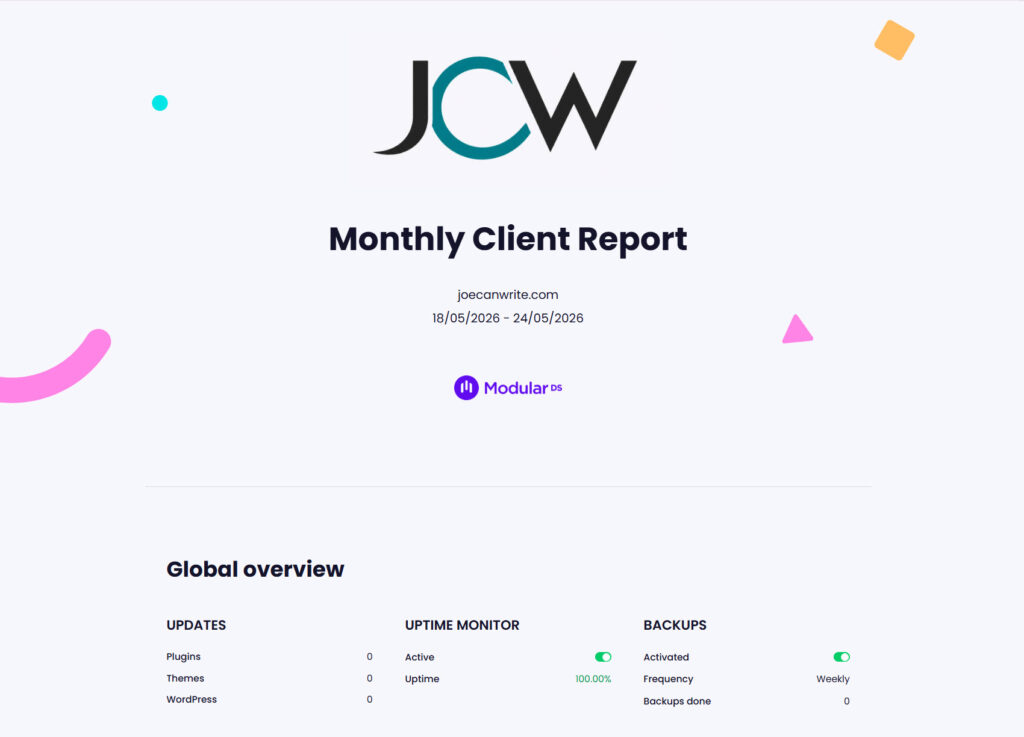
A monthly report is one of the few things that makes your maintenance work visible to a client who never logs in.
In an r/web_design thread on the subject, a designer noted that a monthly report is “critical for client retention… I’ve lost count of how many clients I’ve gained because they were paying for something and had no idea what value was being provided.” But heed the counterpoint from the same thread: non-technical clients mostly want to know the site is up and generating leads, so keep maintenance reports simple and outcome-focused rather than stuffed with metrics.
Modular DS, for instance, produces branded reports you can schedule and share via a link, with no client login required.
Should you charge an onboarding or takeover fee?
Often, yes. Taking over a site you did not build, running an initial audit, cleaning up pre-existing issues, or handling a migration is real work that should not be swallowed up by the first month’s fee.
Practice among published providers varies: StateWP charges a one-time onboarding fee of $199 on its entry tier and waives it on higher tiers; eCreations charges a flat $200 setup fee; and WP Tech Support includes the onboarding audit for free. So anywhere from zero to a couple of hundred dollars is normal, depending on how much cleanup is involved.
Community consensus is firm on one point: do not maintain a site without an agreement in place. As one freelancer put it, “there’s no planet where I would be actively maintaining a client’s site without at least an ongoing retainer.” When a neglected site needs rescuing, bill the cleanup as a separate project, then move the client onto an ongoing plan.
Some professionals also include a short free aftercare window (typically 14 days) after launch, then bill for anything beyond.
Put a number on it with a pricing calculator
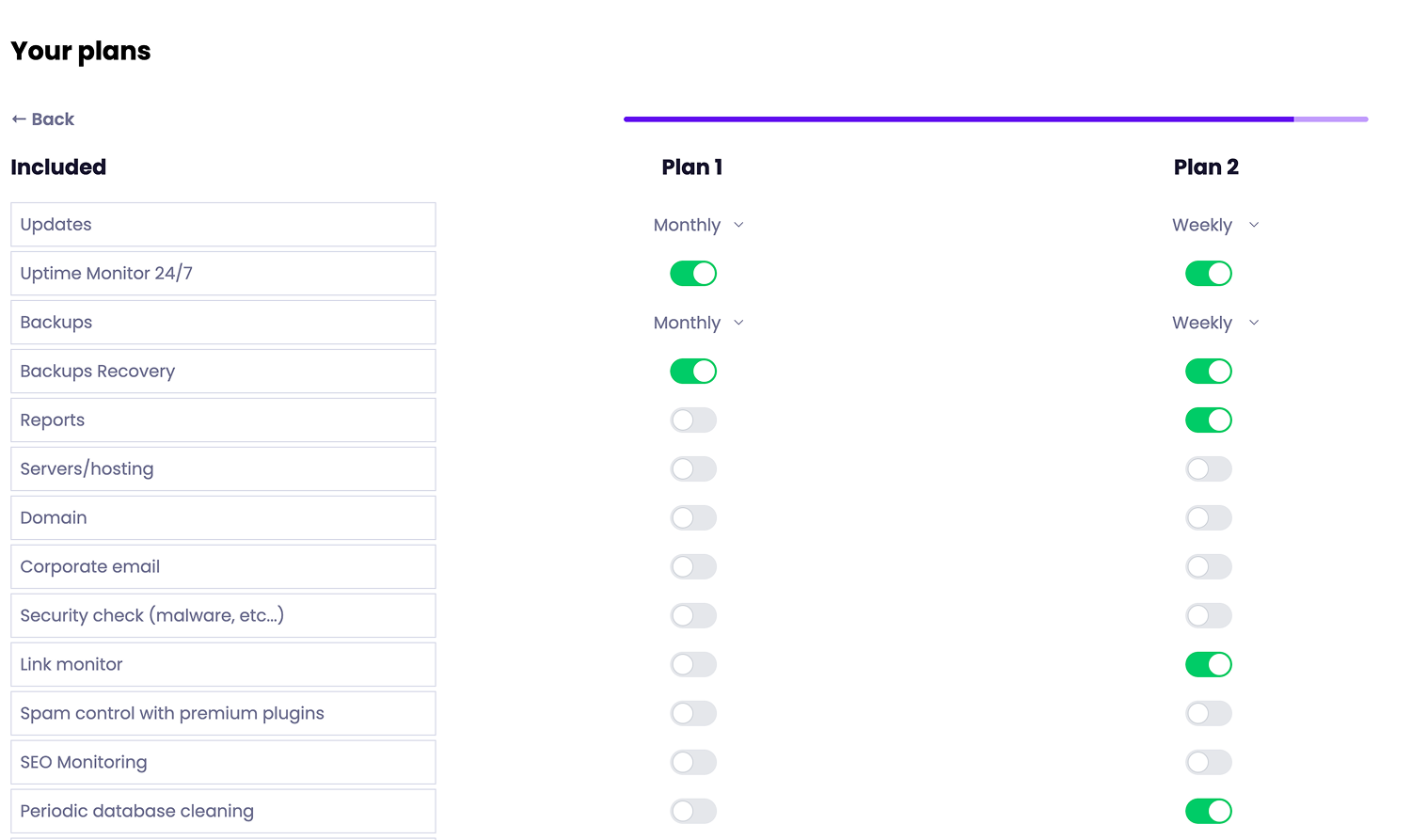
If the ranges above still leave you unsure, a calculator turns those factors into a figure. The Modular DS free maintenance plans calculator takes your site count, the services you include, and your costs, then estimates a price and helps you build out tiers.
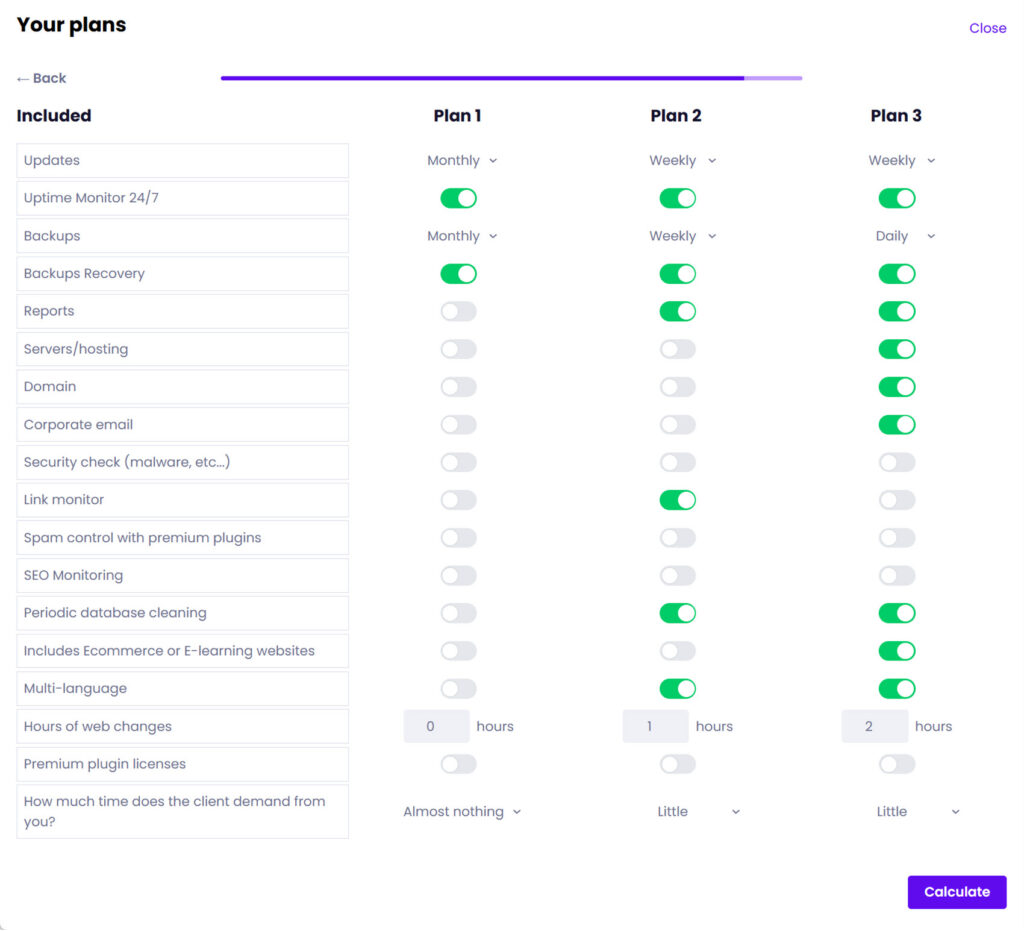
Run a few scenarios through it (a simple brochure site, a busy store, a client who wants priority support), and you’ll quickly see how much scope moves the price. It beats guessing, and it’s a solid starting point before you put numbers in a proposal.
Pricing plans you can stand behind
The aim is a set of WordPress maintenance plans that are profitable, easy to explain, and priced without second-guessing.
Anchor your rates to the benchmarks above, pick a model that fits how you work (tiered plans suit most people), draw a clear line between what’s included and what’s billed on top, and charge for onboarding when the work warrants it. If you’re still weighing whether recurring maintenance is worth building out at all, this guide makes the case.
And if you’d rather run all of it from one place, Modular DS pulls together backups, updates, monitoring, and client reporting into a single dashboard, with a 14-day free trial to test on your own sites.
Frequently asked questions
How much should you charge for a WordPress maintenance plan?
For most sites, monthly maintenance runs between about $50 and $300, with $150 to $250 common for a properly maintained site (brochure sites lower, eCommerce higher). Published care plans show what WordPress maintenance costs across the board, from around $55 at the entry level to several hundred dollars for premium. Price for roughly two hours of work per site per month, and adjust for your market.
Should you charge monthly, annually, or hourly?
Monthly billing, usually as a tiered plan or flat retainer, is the most common and the easiest for clients to budget for. Annual prepayment can improve your cash flow and retention. Hourly billing works best for work that falls outside the plan rather than for the core maintenance itself.
What should be included in a WordPress maintenance plan?
Standard plans bundle core, plugin, and theme updates, automated backups, security scanning and malware removal, uptime monitoring, and basic performance work. Small edits are often included up to a time limit, while content creation, new features, design, and advanced SEO are billed separately.
What’s the difference between a WordPress maintenance plan and a care plan?
In practice, not much. A “maintenance plan” focuses on technical upkeep (updates, backups, security, and monitoring), while a “care plan” is the more client-friendly label that often includes extras like support hours, reporting, and light strategy. Plenty of professionals use the two interchangeably, so what matters is what the plan actually covers, not which word is on the invoice.
Should you charge a fee to take over an existing site?
Taking over a site you did not build, auditing it, and fixing existing problems is worth an onboarding or setup fee, commonly anywhere from zero to around $200, depending on the cleanup involved. For a neglected or hacked site, bill the initial cleanup or recovery as a separate project, then move the client onto an ongoing plan.