New in Modular DS: The uptime monitor gets an upgrade, new Patch & Protect features, and more
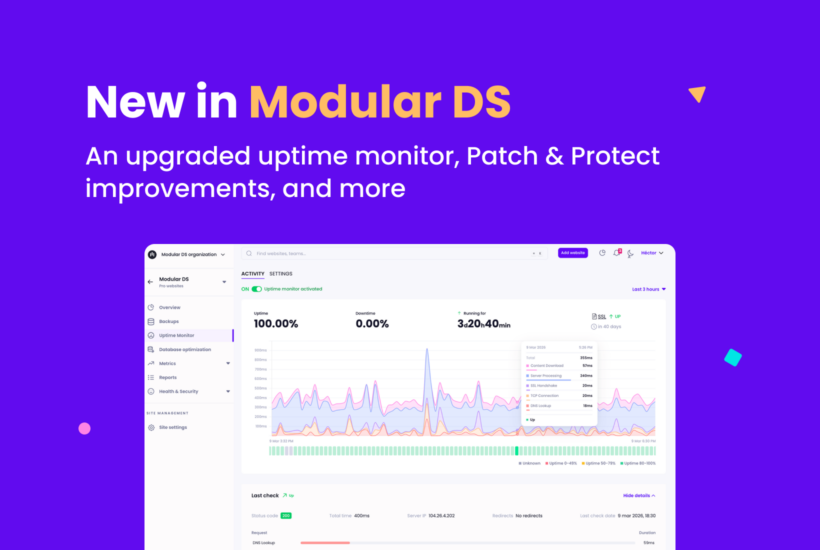
Our March release is here. And with it, an upgraded version of one of the first features we launched in Modular DS: the uptime monitor.
Today, we’re introducing a more reliable, complete, and useful uptime monitoring system, giving you better visibility into what’s happening across your sites and more context when something goes wrong.
But that’s not all. This release also includes updates to Patch & Protect, our security add-on powered by Patchstack, along with other improvements that will make your day-to-day work a little easier.
Let’s take a closer look.
Table of contents
Meet the new uptime monitor
Over the past six months, we’ve been working on rebuilding the uptime monitoring feature across several areas. Here are the main improvements.
More reliable downtime detection
We’ve improved our detection system to reduce false positives and give you more accurate information about your sites’ availability.
Detailed check logs
View the detailed history of uptime checks performed on your sites. When an error or downtime occurs, you’ll see the result of each check, including the response codes returned.
This is especially useful for understanding why a site was detected as down and identifying potential issues that may be affecting it.
More useful email alerts
Email notifications have also been improved. When a site goes down, the alert now includes the reason for the downtime and a direct link to the check details so you can quickly investigate the issue.
Real-time uptime stats
Uptime stats are now updated in real time. You can also filter them by date to analyze specific time periods and spot unusual or recurring patterns.
Extended SSL certificate information
See more detailed information about your SSL certificates and detect potential related issues.
More customization options
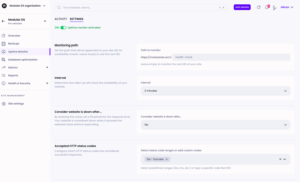
Monitoring now includes more flexible configuration options so you can tailor it to your needs:
- Choose the specific URL to check.
- Define which response codes should be considered valid.
- Decide whether the system should follow redirects.
New Patch & Protect features
Alongside the uptime monitor updates, the Patch & Protect add-on also includes new features to help you monitor and manage your sites’ security.
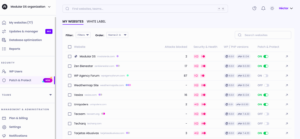
Centralized security section
A dedicated Patch & Protect page where you can view vulnerabilities and critical security errors for all your sites. From there, you can also activate or deactivate the add-on in bulk.
Security rules configuration
Patch & Protect now lets you customize the hardening rules applied by Patchstack on each site, directly from Modular DS. More than 30 settings are available, covering protections that in many cases make additional security plugins unnecessary.
White-label support
If you activate Patch & Protect, you can now also enable Patchstack’s plugin white label, hiding its branding from the WordPress plugins list for your clients.
Wait, there’s more
We’ve also added a few smaller improvements to make your everyday work smoother:
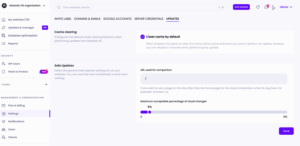
- Cache clearing after updates (by default): cache will be automatically cleared after updates if you configure it globally, so you don’t have to remember to do it manually.
- New health and security column in the dashboard: see vulnerabilities and critical errors directly in the sites list view.
- Abandoned plugin detection: the updater will now warn you if a plugin hasn’t been updated for a long time or has been closed in the official WordPress repository.
All these updates are already available in Modular DS.
Give them a try and let us know what you think!

Stay in the loop