New in Modular DS: Admin user management, activity log, and more
A few days ago, we published a post where we covered why more vulnerabilities are being found and exploited faster than ever, and why security needs to be at the heart of your WordPress maintenance service.
We also gave you a sneak peek at some of the features we were working on to help you with that. Today, two of them are here, giving you more control over your sites and more visibility into what’s being done on them from Modular DS. Plus, a few improvements you’ll notice in your day-to-day work.
Here’s what’s new.
Table of contents
Administrator user management
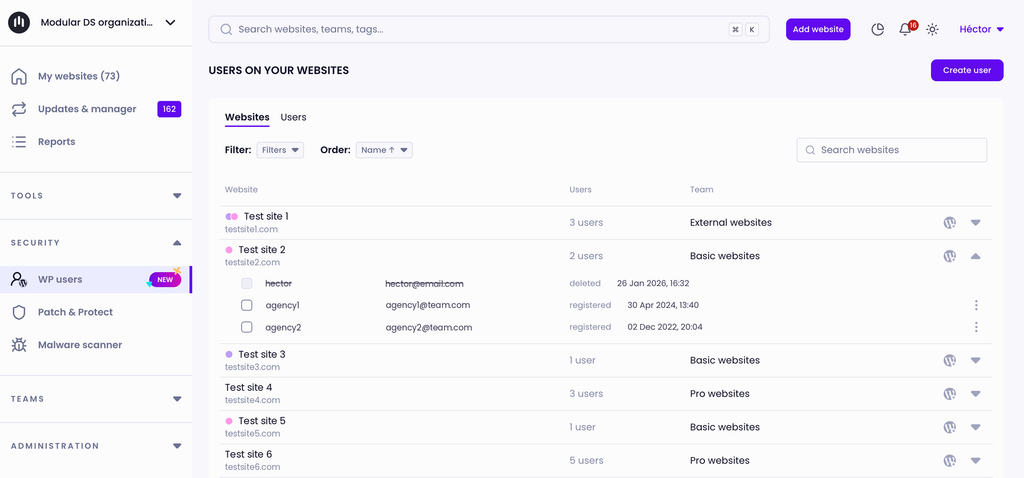
Until now, Modular DS let you see the administrator users on your WordPress sites and get notified whenever one was added or removed. But making any changes still meant logging into each site.
Starting today, you can add, edit, or remove admin users on one or multiple sites at once, right from your dashboard.
It’s a real time-saver when you need to give a team member admin access to every site in a project and revoke it when they’re done. And if you get an alert about a suspicious admin, you can remove it right away, without leaving Modular DS.
You can also change any admin’s password, for example, if you suspect their credentials have been compromised.
📖 Learn more in our knowledge base.
Modular DS activity log
Picture this: one of your managed sites starts acting up on Monday morning. Did something get updated over the weekend? Was it a migration? Maybe an automation?
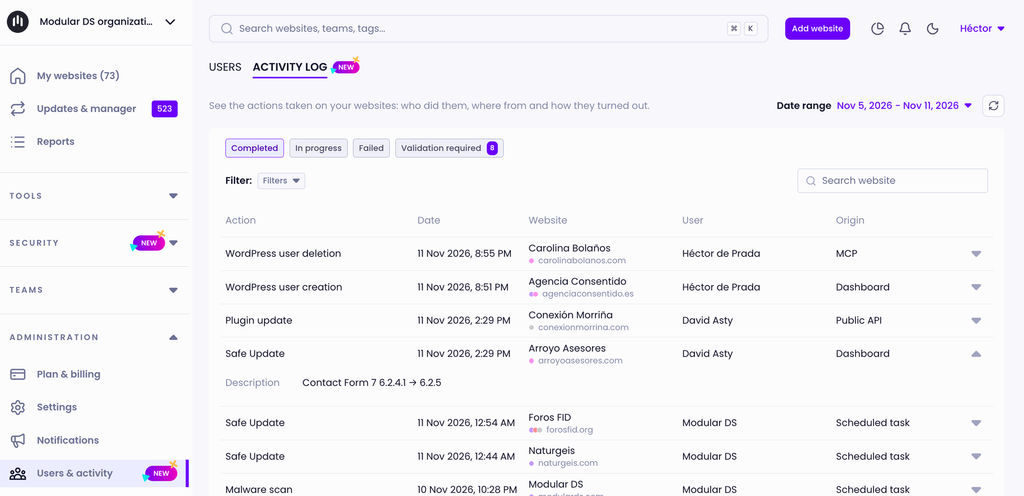
With the new activity log, actions taken on your sites from Modular DS are recorded, including when they happened and who or what launched them: someone on your team, an automation, or an integration through the API or MCP.
It covers actions like connecting new sites, manual and automatic updates, migrations, restores, malware and broken link scans, and reports. All of it is kept in one log with filters (by site, author, category, and more) so you can quickly find what you’re looking for.
This makes it easier to monitor changes and track down the source of an issue. When several people work on the same client sites, everyone knows what has (and hasn’t) been done in the platform. And if you delegate maintenance tasks to your AI assistant through our MCP server, you’ll also see what actions it took on your sites.
The Modular DS activity log is only available to users with the owner or admin role in your organization. Depending on your plan, you can view the last 30 days of activity (Freelance and Starter) or the last 90 days (Business and Enterprise).
📖 Learn more about how it works.
UI improvements
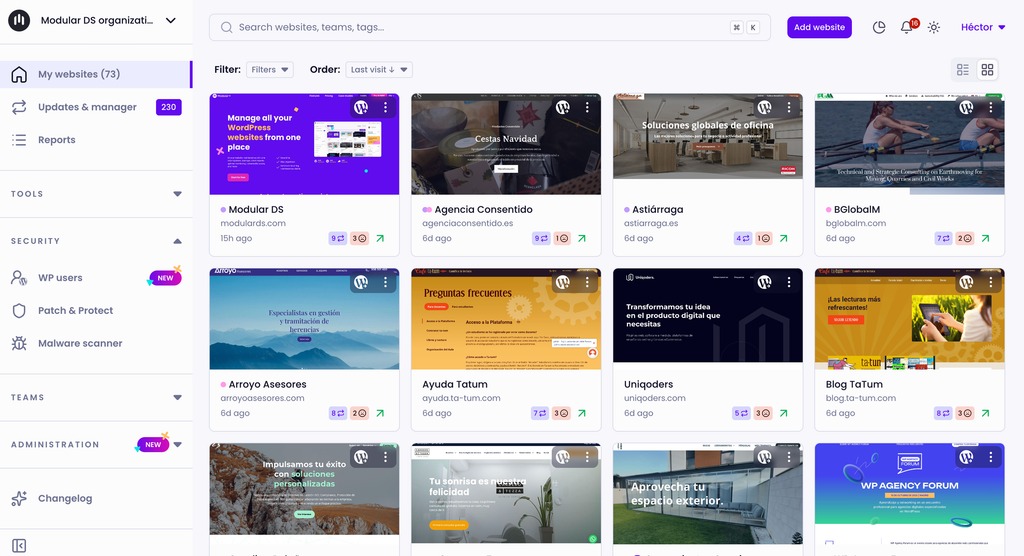
If Modular DS is part of your daily routine, you know small details can make a big difference in how you work. That’s why we’re reviewing nearly every screen.
Don’t worry, everything stays where it is. The design is the same, just clearer and more consistent across sections, so the platform is even smoother and easier to use. We started with the site list and some general settings pages, and the rest will follow gradually.
Other updates and fixes
Not everything has to be a big new feature. Over the past few weeks, we’ve also worked on a handful of smaller details that might fly under the radar but make Modular DS work better.
Here are just some of the highlights:
- PHP and WordPress version filters in the site list view: easily find sites still running older versions that need updating.
- More accurate broken link scans: a one-off server block or slow response no longer flags a link as broken, unless the issue happens again in the next scan. That means fewer false positives, so you only see the links you actually need to check.
- Cache clearing for more plugins: if your sites use SiteGround Speed Optimizer, xSpeed Cache (xCloud), WP-Optimize, Hummingbird, Cache Enabler, Autoptimize, or Nginx Helper, you can now clear their cache from Modular DS. Check out the full list of compatible plugins.
- Visual comparisons for sites with animations: Safe Update screenshots are now generated correctly on sites with videos or animated elements, so you can make sure everything looks right after updating.
With these new features, sharing the work between your team, your automations, and your AI assistant gets easier and safer, because you always know who has access to each site and what’s been done on it from Modular DS.
As always, we’d love to hear what you think.
New to Modular DS? Start your 14-day free trial or book a free walkthrough with our team.

Stay in the loop