New in Modular DS: Migrate, clone, and create WordPress staging sites
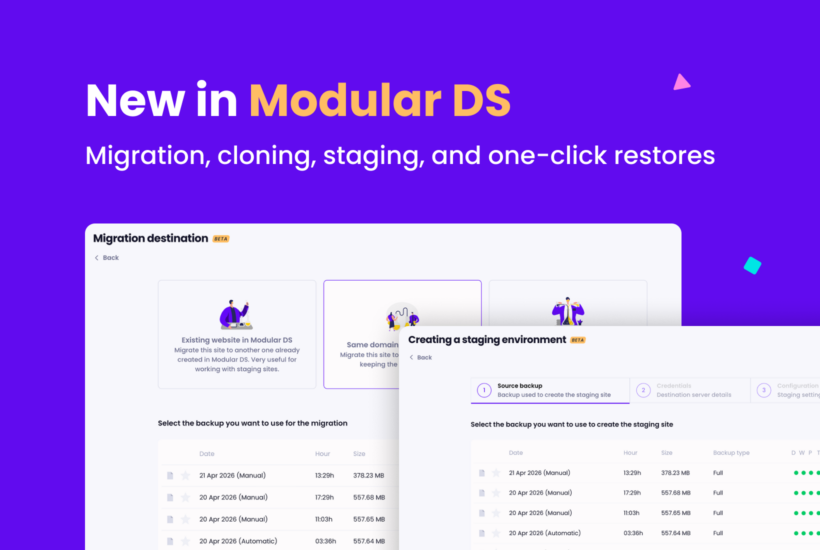
One of the most requested and highly voted features on our roadmap is finally here: site migration, cloning, and staging.
From now on, you can move your WordPress sites, duplicate them, or create testing environments directly from Modular DS, without relying on extra plugins, manual setups, or separate tools.
On top of that, we’ve also made backup restoration faster and simpler.
Here’s everything new in this release.
Site migration and cloning
You can now easily migrate or clone any site connected to Modular DS in three different ways, depending on what you need:
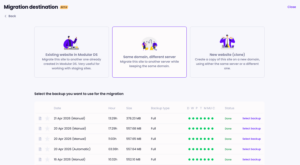
- Migrate to an existing website in Modular DS: move a site’s content to another one you already have on the platform. Perfect for pushing a staging site to production, or the other way around.
- Migrate to a different server, same domain: move your site to a new server without changing the domain. A great option when switching hosting providers without disrupting your client’s site.
- Migrate to a new site (cloning): create a copy of a site on a new domain, either on the same server or a different one. Ideal if you work from a template site with your theme, plugins, or presets for new client projects. Instead of starting from scratch, you can clone it, customize it, and go.
Staging sites
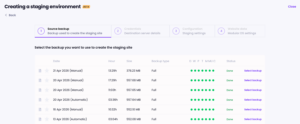
With this release, you can also create testing environments on your own servers within your Modular DS dashboard.
In just a couple of clicks, you’ll have a staging site where you can safely test updates, redesigns, or any major changes before pushing them to production.
If you already have testing sites connected to the platform, you can also link them to their live site from the site settings. That way, everything stays organized and easier to manage.
This is also the first step toward allowing synchronized workflows between live and testing environments in the future.
One-click backup restoration
This is another improvement that many of you had been asking for.
Until now, restoring a backup required entering your server credentials first.
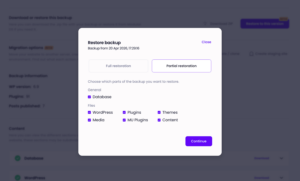
This update lets you restore your site using the Modular Connector plugin, with no credentials needed and in just one click, making the whole process faster and easier than before.
To use this method, keep in mind that the site must have a valid connection to Modular DS and be running version 2.8.0 or later of the plugin.
With these new features, Modular DS becomes an even more complete WordPress management platform, helping you save time and effort on migrations, test changes safely, and restore backups more easily from one dashboard.
And there are more highly requested features on the way, so stay tuned 😉
As always, we’d love to hear your feedback. Let us know how these updates work for you once you’ve tried them.
New to Modular DS? Sign up for free and see how it can make a difference.

Stay in the loop