Core Web Vitals for WordPress
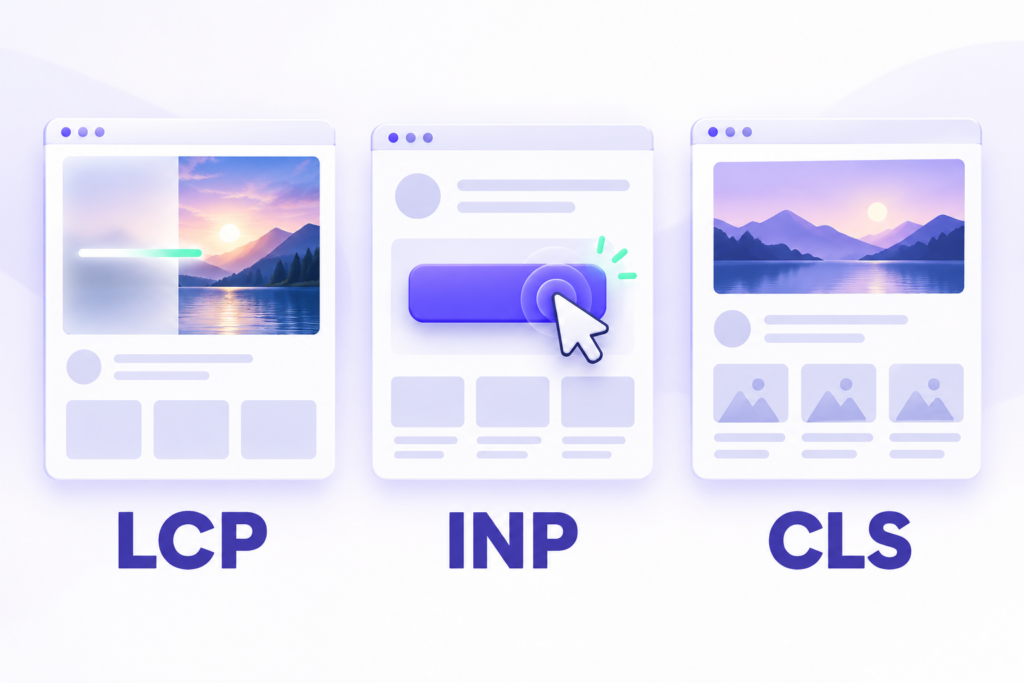
Core Web Vitals measure loading performance, responsiveness and visual stability. The current metrics are LCP, INP and CLS. For WordPress teams, they help identify whether visitors are waiting for important content, struggling with unresponsive controls or dealing with unexpected layout shifts.
INP replaced FID on March 12, 2024. If your performance checklist still uses FID, update it before assessing your websites.
Tabla de contenidos
The three Core Web Vitals
| Metric | What it measures | Good | Needs improvement | Poor |
|---|---|---|---|---|
| LCP | Loading of the largest visible image or text block | 2.5 seconds or less | Over 2.5 to 4 seconds | Over 4 seconds |
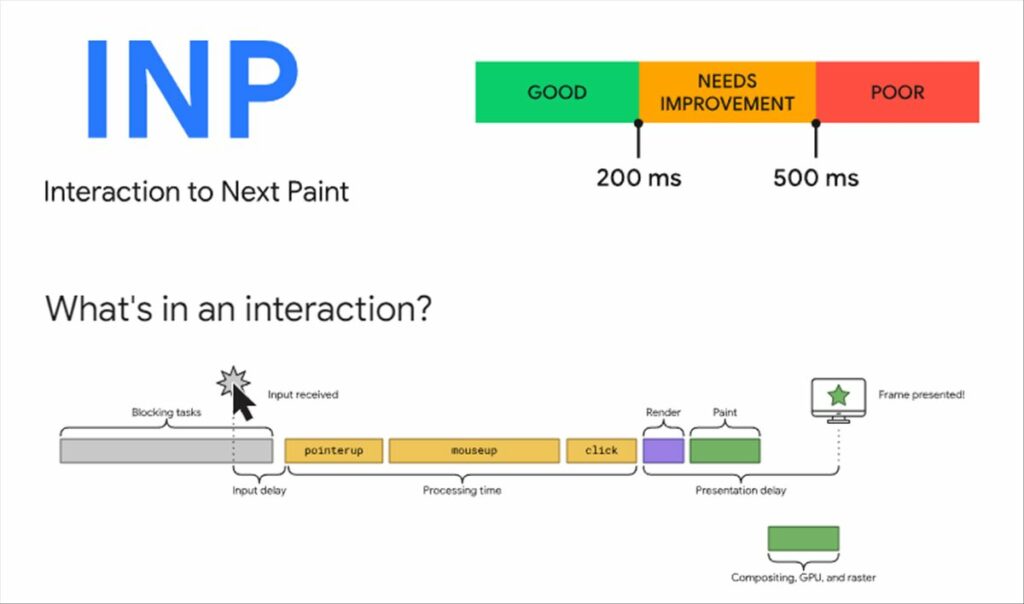
| INP | Responsiveness to interactions | 200 milliseconds or less | Over 200 to 500 milliseconds | Over 500 milliseconds |
| CLS | Unexpected visual movement | 0.1 or less | Over 0.1 to 0.25 | Over 0.25 |
Google evaluates these targets at the 75th percentile, separately for mobile and desktop. To pass the assessment, all three metrics must meet their good thresholds. See Google’s Core Web Vitals definitions.
LCP measures loading
Largest Contentful Paint tracks when the largest image or text block in the viewport appears. On a WordPress page, that could be a hero image, a product image or the main heading. Identify the actual LCP element before deciding what to optimize.
INP measures responsiveness
Interaction to Next Paint considers clicks, taps and keyboard interactions throughout a visit. It measures the delay until the next visual update, including input delay, processing and presentation. FID only measured the delay before processing the first interaction, so the two metrics are not interchangeable.
A sluggish mobile menu or product filter is a useful interaction to investigate. INP does not measure the entire time needed to complete an asynchronous request, and scrolling is not a qualifying interaction. Google’s INP documentation explains the measurement.
CLS measures visual stability
Cumulative Layout Shift captures unexpected movement of visible content. Images without reserved space, expanding banners and late-loading fonts can shift text or controls. CLS is a score, not a duration.
Tools to measure Core Web Vitals
Google PageSpeed Insights
Start with PageSpeed Insights. Its field section uses Chrome User Experience Report data from real visitors over a rolling 28-day period. Check whether you are viewing data for the URL or the whole origin, and review mobile and desktop separately.
Lighthouse
The Lighthouse section is a controlled lab test. Use its diagnostics to investigate problems, but do not confuse its performance score with a Core Web Vitals pass. A standard Lighthouse navigation test does not reproduce a full visit’s interactions; Total Blocking Time can help diagnose responsiveness but is not INP.
When field data is unavailable, it means the report lacks enough eligible data, not that the page passes or fails. Use lab tests and, where appropriate, your own real-user monitoring. Google’s PageSpeed Insights documentation explains the distinction.
Google Search Console
Use the Core Web Vitals report to identify affected URL groups, then investigate representative pages rather than assuming every URL has the same cause. Keep mobile and desktop findings separate. A shared template, font or plugin can affect many pages, so group-level patterns can help you prioritize the next investigation.
Chrome DevTools
Open Chrome DevTools and select the Performance panel. Record a visit while opening the mobile menu, changing a product filter or using another slow control. Inspect the interaction and the work around it to find delays in JavaScript execution or rendering. The official Performance panel documentation explains the recording workflow.
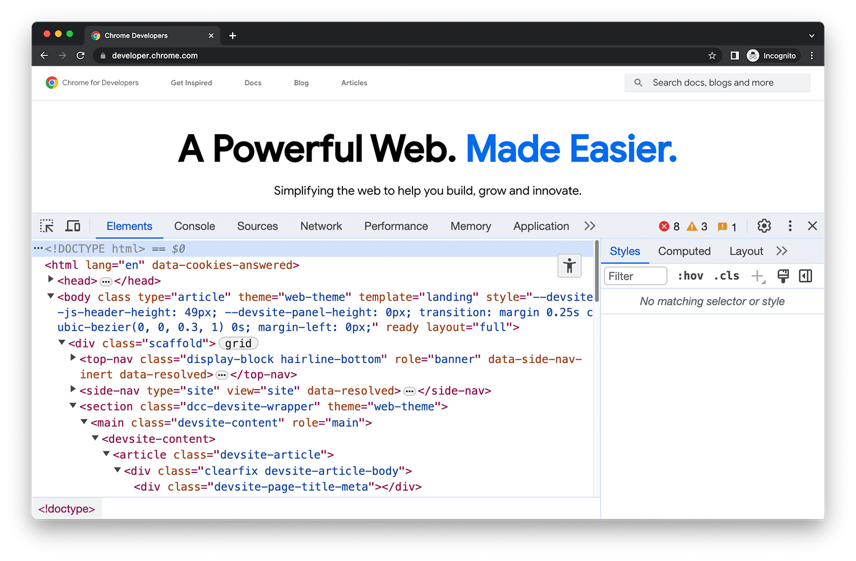
This screenshot shows the DevTools interface with Elements selected. Switch to Performance to investigate loading and interactions; the layout can vary by Chrome version.
WebPageTest
WebPageTest helps investigate page loading through request waterfalls and visual loading sequences. Use consistent location, device and connection settings when comparing a change. A controlled test complements real-user data rather than replacing it.
GTmetrix
GTmetrix provides Lighthouse-based reports, request waterfalls and monitoring options. Check the selected test configuration and available plan features before comparing results. Do not interpret a lab TBT value as an INP measurement or assume that every report represents your mobile visitors.
web.dev
Use web.dev as Google’s reference library for metric definitions and optimization techniques. Run measurements through the appropriate testing or monitoring tool, then use the documentation to understand the findings.
Our comparison of website performance testing tools covers additional options.
How to improve Core Web Vitals in WordPress
Improve LCP
- Identify the largest visible element and check what delays its rendering.
- For an LCP image, serve an appropriately sized, compressed file and make it discoverable early. Do not lazy-load the LCP image. Reserve lazy loading for suitable content further down the page.
- Investigate slow server responses, render-blocking resources and late resource loading. Use caching or a CDN where they address the measured bottleneck.
Google’s LCP optimization recommendations explain how to separate these delays.
Improve INP
- Record slow interactions in Chrome DevTools, including menus, filters and form controls.
- Reduce unnecessary JavaScript and review third-party widgets or plugins that run expensive work.
- Break long tasks into smaller pieces and reduce expensive rendering work. Test changes to script loading carefully so checkout and other essential features continue to work.
Follow Google’s INP optimization process to identify whether the delay occurs before, during or after event processing.
Improve CLS
- Reserve space for images, videos, embeds and advertising slots.
- Avoid inserting banners or other content above existing content unexpectedly.
- Review font loading and layout changes that happen after the initial page load.
The CLS optimization documentation covers common causes and fixes.
Choose caching, image and hosting changes carefully
For images, reduce unnecessary dimensions and file weight while preserving quality, and reserve their space in the layout. Apply lazy loading to suitable offscreen media, not the image responsible for LCP.
Page caching can reduce repeated server work, while a CDN can shorten delivery paths for visitors. Review cache exclusions for personalized pages and shopping flows before changing settings. Neither approach directly fixes every interaction delay.
Review font families and weights, download size and fallback behavior instead of applying an arbitrary font limit. If server response time remains a bottleneck, investigate hosting resources and application work before deciding whether a hosting change is needed.
A maintenance workflow for agencies
Choose representative templates, such as a homepage, service page, article and product page. Record the failing metric, device type and data source, then prioritize problems affecting important journeys or shared templates.
Back up the website, test a focused change on staging and compare results under similar conditions. Check forms, navigation and checkout before deployment. Monitor field data afterwards, allowing for the rolling reporting window instead of expecting an immediate pass.
Modular DS helps centralize WordPress backups, updates and monitoring as part of this routine. Use it alongside your performance diagnostics; maintenance tools do not replace investigating the cause of a poor metric. See our WordPress maintenance checklist and process for the wider workflow.
Frequently asked questions
Is FID still a Core Web Vital?
No. INP replaced FID in March 2024. Use LCP, INP and CLS when assessing current Core Web Vitals.
Does a Lighthouse score of 100 mean I pass?
No. The lab score and the field assessment measure different things. Check the real-user metrics and their device and URL scope.
Will passing Core Web Vitals guarantee higher rankings?
No. Google uses Core Web Vitals in its ranking systems, but good scores do not guarantee top positions. Content relevance and other signals still matter, as Google Search Central explains.
Why has the field report not changed after a fix?
Its rolling data window still includes visits from before the change. Confirm the fix in diagnostics first, then follow the field trend as newer visits enter the report.