Best SEO audit tools for WordPress agencies in 2026

If you work with clients who use WordPress, it’s likely that sooner or later you’ll need to run SEO audits. After all, many agencies offer this as part of their services.
In these situations, it’s important to understand that the success of an audit doesn’t depend on using a single tool for everything, but on choosing the right one for each problem. Analyzing a competitor’s strategy is very different from diagnosing why a website with thousands of URLs isn’t being indexed properly.
You should also keep in mind that there are thousands of free or semi-free tools that promise automatic SEO audits. Unfortunately, most of them only scratch the surface and highlight very generic issues. Think of it like an iceberg: generic, free audits only show the visible tip, not everything that lies underneath.
I say this from experience: I’ve built my own auditing solution, and I know how difficult it can be to properly audit a website without context, or when the site itself creates technical limitations.
That said, let’s look at some of the best SEO tools that can make auditing a WordPress site easier.
Table of contents
Before we get started
To help you better understand which platforms to use in each situation and make your work more efficient, we’ve grouped them into three categories:
- Suite tools: give you a general overview of the audit.
- Must-have tools: provide the real data and deeper technical insights.
- Specialized tools: offer an extra advantage in specific niches, such as local SEO.
Now let’s start with the must-have ones.
Must-have SEO audit tools
Before you think you can replace them with something else or that an SEO suite alone is enough, let’s make one thing clear: these are tools you can’t skip.
They are the holy grail for any serious SEO audit. Without them, your analysis simply isn’t complete.
At this level, we’ll look at the most well-known option, its main competitor, as well as Google’s own solutions.
Screaming Frog SEO Spider
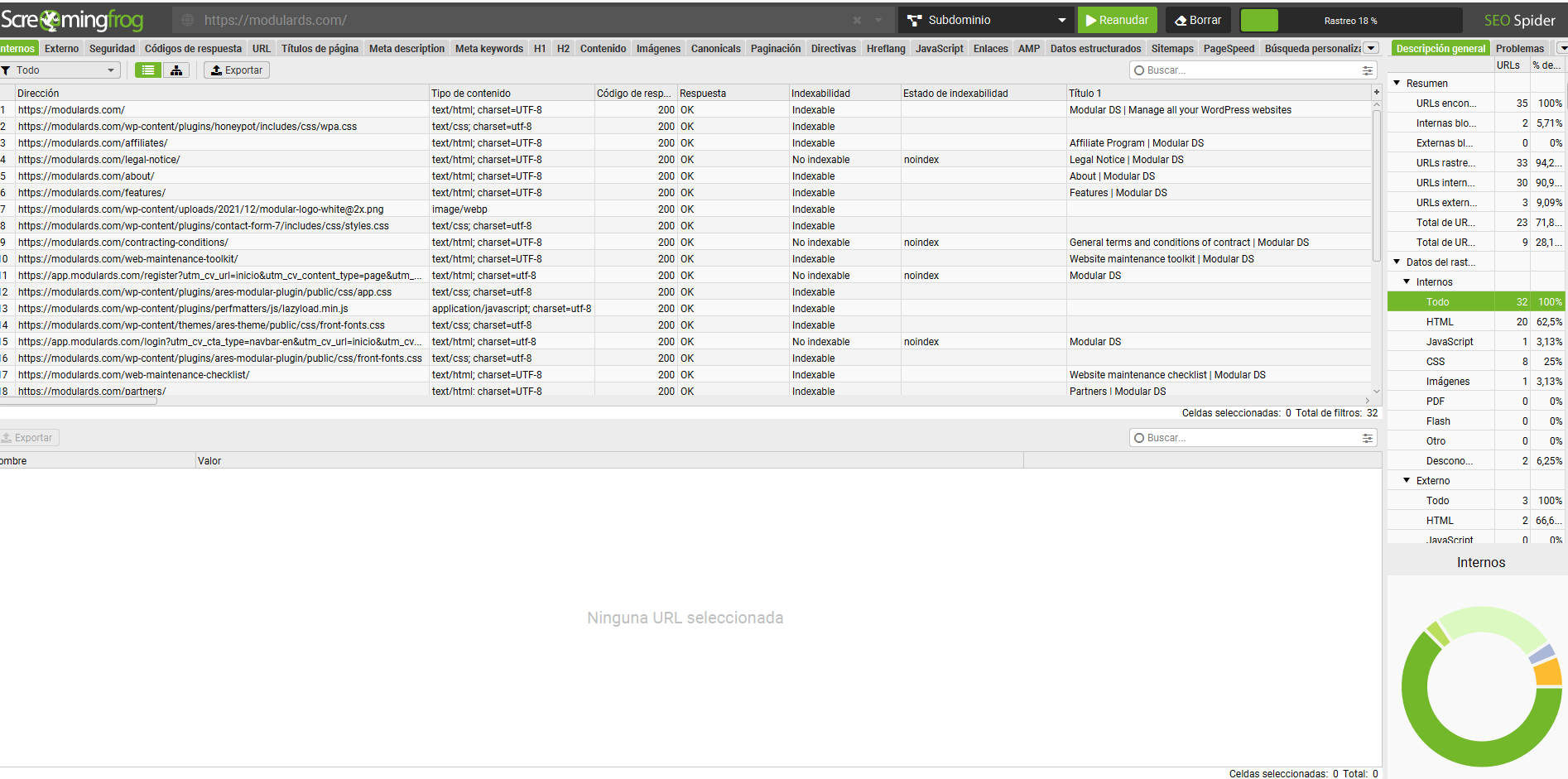
Let’s start with Screaming Frog, a tool that should definitely be on your list. It’s a desktop application that crawls websites in the same way Googlebot does.
The license costs $279 per year. There’s also a free version, although it comes with limitations. Even so, it’s one of the best investments you can make for your agency because it lets you see things other tools miss:
- Technical crawling: finds broken links, redirect chains, and directive issues such as noindex that may be blocking your growth.
- Full integrations: you can connect its APIs with Search Console and Google Analytics to combine crawl data with real traffic data in a single table.
- Image and size auditing: especially important in WordPress, where you’ll often find 2MB images that are hurting your client’s site speed.
Sitebulb
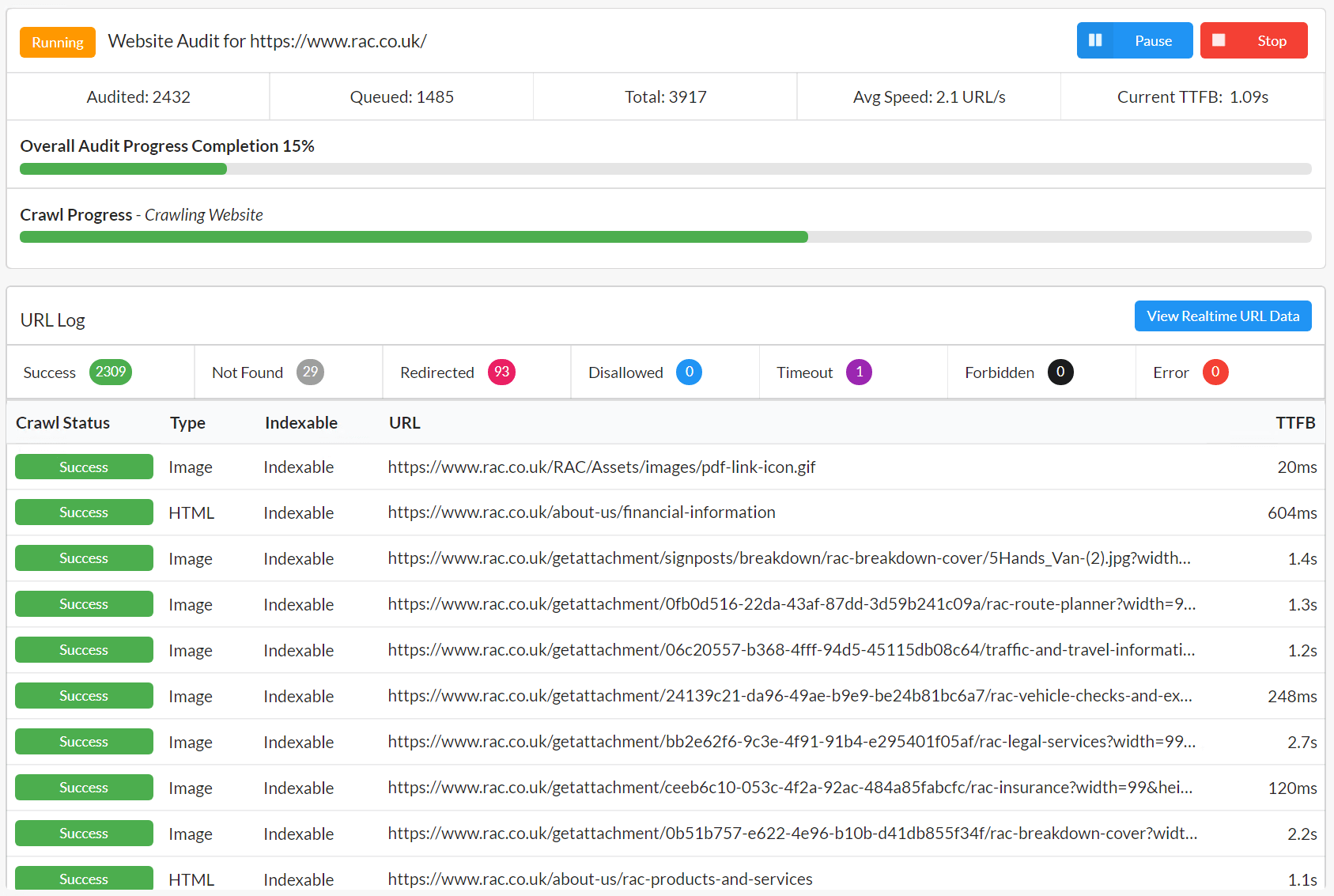
If Screaming Frog feels like a powerful spreadsheet, Sitebulb is its more visual and easier-to-interpret counterpart. It’s the strongest direct competitor, and many WordPress professionals prefer it for a few reasons:
- Data interpretation: it doesn’t just show the error; it explains what it means and how to prioritize it.
- Sitemap visualizations: its crawl, interactive maps are excellent for showing clients how complex or tangled their site architecture really is.
- Audit scores: it provides an SEO health score that’s very useful for comparing the before and after of your agency’s work.
Between the two, I’ve always used Screaming Frog, but every professional has their own preferences.
Search Console and Google Analytics 4
No professional SEO audit is complete without data from Google itself.
- Google Search Console (GSC): this is your official communication channel with Google. If there’s a penalty, an indexing issue, or a security warning, you’ll hear about it here. It’s also the most reliable source for understanding which keywords a website actually appears for. Don’t have it set up on your clients’ sites yet? Do it now. Besides everything mentioned above, it also helps signal to Google that your site is active and being updated. In other words, it’s your direct way of telling Google: “Hey, I’ve updated this content. Come take another look.”
- Google Analytics 4 (GA4): SEO isn’t just about rankings, it’s also about business. GA4 is essential for auditing whether the traffic you’re bringing in actually converts. If you’re not tracking conversions (sales, leads, WhatsApp clicks, etc.), you won’t be able to demonstrate the ROI of your SEO audit or of your agency’s WordPress maintenance services.
SEO suite tools
If the previous tools help you understand how your website works under the hood, the three SEO suites below give you the bigger picture. They provide external data you can’t get from technical tools alone, such as what your competitors are doing or which backlinks you’re missing. They also offer internal insights that complement your technical analysis.
Because they’re all-in-one solutions, they cover almost everything you need (backlinks, keyword research, technical audits, and more). That said, each one has its own strengths. Think of them as your control center for your overall SEO strategy.
Ahrefs
For many professionals, Ahrefs is the go-to tool if you want to focus on backlink analysis and discover which content performs best in your client’s niche.
- Why use it in an audit: its database is massive. It allows you to see who is linking to your competitors but not to your client, uncovering valuable opportunities to build authority that Search Console will never show you.
- Site insights: its crawler can also flag orphan pages or content that has lost organic visibility.
Of course, Ahrefs also provides keyword data, but one of its biggest strengths is its backlink database.
Semrush
Semrush is another SEO platform that does a bit of everything, but in my experience, it stands out when it comes to keyword research.
Its main advantage is the ability to discover new search opportunities and analyze which terms your competitors are ranking for. This helps you identify gaps in your client’s keyword strategy, giving you a quick roadmap for creating content on their WordPress blog.
Sistrix
If your agency works in competitive markets, Sistrix is widely considered the standard for understanding long-term trends and the broader landscape of a sector.
Its biggest strength lies in its visibility dashboard and keyword tracking capabilities. The Sistrix Visibility Index is one of the industry’s benchmark metrics for understanding whether a domain is gaining or losing visibility in Google over time, filtering out the noise of daily ranking fluctuations.
It’s also very useful for identifying whether a drop in traffic is caused by an issue with the site itself or by a broader algorithm change affecting the entire sector.
Which one should you choose?
If I had to pick just one, I’d go with Semrush. Personally, I think it’s the most well-rounded option for the day-to-day needs of an agency working across different areas.
All three tools are excellent and serve their purpose. However, Semrush offers a great balance between technical auditing, visibility analysis, and above all, powerful keyword research that helps you quickly answer your clients’ questions.
Specialized tools
Once you have your strategy (SEO suites) and the technical side covered (must-have tools), you’ll also need solutions that give you a competitive edge in specific scenarios.
This is where an agency can turn a generic report into high-value consulting.
Local Falcon
If your client runs a business with a physical location (a restaurant, a clinic, or a law firm), their main battle isn’t in the general organic results but in the Google Maps Local Pack, the highlighted section that appears alongside the map when someone searches for nearby services.
Local Falcon doesn’t just tell you “you’re ranking third.” Instead, it shows what’s known as a Geo-Grid, a map that displays how the business ranks from different points across the city. For example, it might rank first right outside its location but drop to tenth place just a few blocks away.
It’s a very powerful visual tool for showing clients why their Google Business Profile needs optimization. In many cases, it becomes the perfect argument for selling a local SEO service.
DinoRank
Although DinoRank started as a more affordable SEO suite, many professionals find its value in some of its specific modules. I personally find it particularly useful for local SEO and for analyzing SERPs and their different features.
It helps you understand exactly what Google is rewarding for a given search and how far your client’s content is from matching that intent.
Performance auditing (WPO)
- GTmetrix and Pingdom Tools: these are great tools for understanding what’s actually happening while a website loads and which plugins or resources are slowing it down. GTmetrix, in particular, includes waterfall charts to visualize loading behaviour, which are especially useful for identifying heavy scripts or unoptimized images that may be affecting Core Web Vitals.
- PageSpeed Insights: this is Google’s final check when it comes to performance. If the results here aren’t good, your technical SEO will likely hit its limit. It’s also a metric that clients easily understand when they see the performance score circle turn red or green.
AI content detection
Today, auditing content quality also means understanding whether it has been generated by AI without proper human oversight. As an agency, protecting your clients from potential penalties caused by low-quality content is vital.
Both Winston AI and GPTZero are widely used tools for detecting AI-generated text, and both offer limited free plans and paid options.
For professional use, the best approach is to use them via their API. This allows you to audit hundreds of blog posts at once and identify potentially risky content that needs human review in order to comply with Google’s EEAT guidelines.
Extra tools
Once you have your main toolset, there are extra utilities that can save you valuable time in your day-to-day work. As an agency, every minute counts, and these tools allow you to quickly audit certain aspects while browsing a client’s website.
Chrome extensions
Don’t overload your browser with dozens of extensions you’ll never use. These are the ones I rely on the most:
- Make It Tool: very useful for improving SEO analysis in Search Console. It converts raw numbers into percentages, making it much easier to understand performance changes without getting lost in decimals. One of its best features is that it marks Google updates directly on the chart, allowing you to correlate traffic drops with algorithm updates. It also automatically detects gained, lost, and opportunity keywords, even separating branded from non-branded ones.
- SEO Meta in 1 Click: simple and very handy. With a single click, you can see the full heading hierarchy, meta tags, canonical tags, and whether images include alt text. Perfect for quick on-page SEO audits.
- Redirect Path: extremely helpful for detecting redirect chains. Sometimes you think a link goes to one place, but it actually passes through several 301 redirects before reaching the final URL. This extension alerts you instantly in the browser toolbar.
- Robots Exclusion Checker: a great troubleshooting tool. It allows you to quickly see whether a page is being blocked by the
robots.txtfile, robots meta tags, or X-Robots headers. - Tag Assistant: useful for tracking and tag validation. It lets you verify that Google Analytics, Google Tag Manager, and other tags are correctly installed and working as expected.
WordPress SEO plugins
As we’ve seen, WordPress plugins shouldn’t replace a proper external technical audit, but they do allow you to implement changes and optimize the site from within. Here are a few recommendations:
- Rank Math or Yoast SEO: simply use one of them. Yoast is the plugin you’ll find on most client sites you inherit, while Rank Math has gained popularity for including features that other plugins charge for, such as a 404 monitor or redirect management. Choose whichever you prefer, but make sure it becomes the base for managing on-page SEO and structured data.
- Redirection: if you’re not using the redirect features built into your SEO plugin (or if you prefer to keep it separate for security reasons), this plugin is a must. As an agency, you can’t afford to have clients lose authority because of broken links after an audit or redesign. This plugin is one of the most reliable tools for managing bulk 301 redirects and fixing the issues detected by Screaming Frog.
One final tip
Throughout this article, we’ve covered quite a few tools that can help you run better SEO audits. The most important thing is understanding how each one works and the value it brings to your workflow.
If I had to suggest a simple roadmap, I’d recommend beginning with:
- The free version of Screaming Frog to get familiar with technical crawling.
- An SEO suite like Semrush to understand the market and keyword opportunities.
- Getting comfortable with GA4 and Search Console, if you haven’t already, so you can confidently interpret Google’s data.
With time and practice, you’ll learn how to combine these tools, get the most out of them, and connect the dots. And once you can do that, you’ll already have about 80% of any SEO audit covered.
Frequently asked questions about SEO audit tools for WordPress
To wrap up, let’s answer some of the most common questions that come up when choosing an SEO tool stack for your agency.
Do you need to pay for all these tools at once?
No, especially if you’re starting out. Ideally, you should have one SEO suite (like Semrush) and a Screaming Frog license. You can subscribe monthly to others, like Local Falcon or AI detection tools, depending on the clients you’re working with at the time.
Can you run an SEO audit using only free tools?
Technically, yes, but you’ll only scratch the surface. Without the deep crawling data provided by paid tools, you’ll easily miss technical issues that can end up hurting your client’s SEO.
Which SEO tool is best for reporting results to clients?
Semrush and Sistrix offer very visual reporting features. However, for a WordPress agency, combining data from Search Console with the Make It Tool extension often makes it easier to provide clearer and more direct explanations of results and return on investment (ROI).
Does AI detection really matter in 2026?
Yes. Google continues to reward experience and authority (EEAT). Auditing whether your client’s content is entirely AI-generated helps you prevent future traffic drops caused by algorithm updates that prioritize more useful, human-focused content.
If I only have a small WordPress site and very few clients, can I rely on free tools for now?
Absolutely. If you’re just starting, there’s no need to spend heavily on every tool right away. As your client base grows, you can gradually move to more complete paid options.